JoomlaWorks

  • Extension Demos
  • Community Forum
  • K2
  • Joomla! Templates by Nuevvo
login

  • Forgot your password?
  • Home
  • About
    • Company
    • License & Terms of Service
  • Extensions
    • Commercial Premium
      • Frontpage Slideshow
      • K2mart
      • Simple Image Gallery Pro
      • SocialConnect
      • SuperBlogger
    • Free Premium
      • AllVideos
      • DISQUS Comments for Joomla!
      • K2
      • Simple Image Gallery
      • Simple RSS Feed Reader
      • Tabs & Sliders [for articles] (plugin)
      • Tabs & Sliders (module)
    • Free
      • Latest Tweets
      • TinyLetter Subscribe
      • User Extended Fields for K2
  • Docs
    • AllVideos
    • Frontpage Slideshow
    • Frontpage Slideshow [Standalone]
    • K2mart
    • Simple Image Gallery
    • Simple Image Gallery Pro
    • SocialConnect
    • SuperBlogger
    • Tabs & Sliders (module)
  • Blog
  • Contact
  • My Account
16 08 2012
Written by  Fotis Evangelou
Published in Blog
Tagged under
  • +fonts
  • +Google
  • +linux
  • +mac
  • +mercurial
  • +ssh
  • +ubuntu
  • +web fonts
Be the first to comment!

How to create a zip file of all Google Web Fonts on a Mac

How to create a zip file of all Google Web Fonts on a Mac
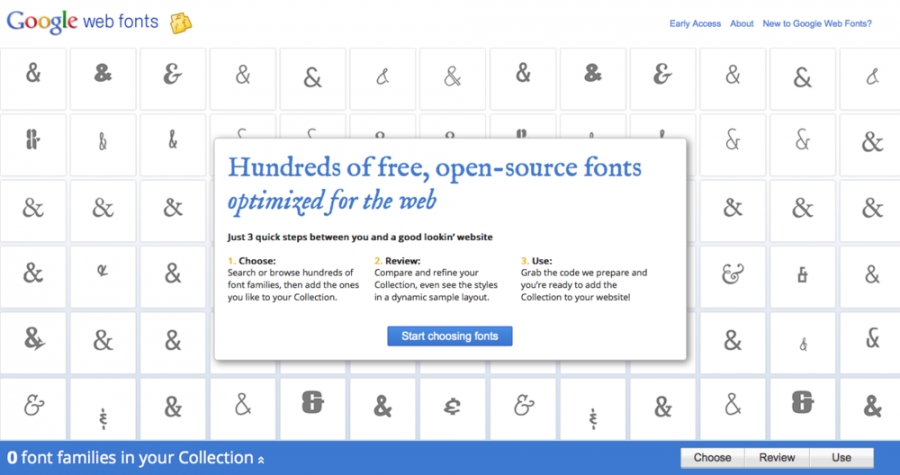
As you may know by now, Google does not offer one simple way to download all the fonts from the Google Web Fonts website.

If you got a Mac (or Linux box) the process is quite easy. And here it goes...

STEP 1
Install Mercurial for Mac. Grab the latest package from http://mercurial.berkwood.com/
For Linux, installing Mercurial depends on your Linux flavour. For example, on Ubuntu it's a matter or running "sudo apt-get install mercurial".

STEP 2
Open the terminal app and execute the following:

$ cd ~/
$ mkdir GoogleWebFonts
$ cd ~/GoogleWebFonts

The above commands will create a folder called "GoogleWebFonts" at the user's folder.

STEP 3
Let's grab the initial repo (do this only the first time you setup this whole process). Still in the terminal, execute the following:

$ hg clone https://googlefontdirectory.googlecode.com/hg/googlefontdirectory

This command will retrieve the entire Google Web Fonts repository (around 2GBs at the time of writing) inside this "GoogleWebFonts" folder we previously created. It may take from a few minutes to over an hour to download these files depending on network activity and your internet connection speed.

STEP 4
Now let's grab any font updates and zip everything to a handy, clean of irrelevant files, date-marked zip file. At the terminal app, execute the following:

$ cd ~/GoogleWebFonts/googlefontdirectory
$ hg pull --update
$ cd ..
$ find . -iname *.ttf -print | grep -v "src" | zip GoogleWebFonts_$(date +"%Y%m%d").zip -@

The above process will create a file called e.g. GoogleWebFonts_20120816.zip (if we run this process on Aug 16th 2012). The file generated at the time of writing this tutorial was around 70 MBs.

Now you can just drag and drop the fonts directly to the Mac "Font Book" app or to make it dead-simple (and cooler of course) extract this zip files inside your ~/Library/Fonts/ folder using this command (if the produced zip file was GoogleWebFonts_20120816.zip):

$ mv ~/GoogleWebFonts/GoogleWebFonts_20120816.zip ~/Library/Fonts/
$ cd ~/Library/Fonts/
$ unzip GoogleWebFonts_20120816.zip

Enjoy!

Read 5798 times
Tweet
More in this category: « Joomla! forks you may have never heard of Resizing the disk space on Ubuntu Server VMs running on VMware ESXi 5 »

Leave a comment

Make sure you enter the (*) required information where indicated. HTML code is not allowed.

back to top
BY MAIL BY RSS

Archives

  • March 2013 (1)
  • February 2013 (1)
  • September 2012 (1)
  • August 2012 (1)
  • October 2011 (1)
  • July 2011 (1)
  • June 2011 (1)
  • May 2011 (1)
  • April 2011 (2)
  • March 2011 (2)
  • February 2011 (2)
  • January 2011 (1)

Tag Cloud

1.6 alex kempkens athens centos component cpanel event fotis evangelou greece jab10 j and beyond johan janssens joomla joomladay k2 max milbers nooku pecl presentation video

Fresh from our Blog!

  • 07 Mar 2013 Simple Image Gallery Pro version 3 and a new design approach for our components
    Written by Fotis Evangelou
  • 19 Feb 2013 SocialConnect - a new Joomla! extension for better social reach & user engagement
    Written by Fotis Evangelou
  • 09 Sep 2012 Resizing the disk space on Ubuntu Server VMs running on VMware ESXi 5
    Written by Fotis Evangelou
  • 16 Aug 2012 How to create a zip file of all Google Web Fonts on a Mac
    Written by Fotis Evangelou
  • 01 Oct 2011 Joomla! forks you may have never heard of
    Written by Fotis Evangelou

Join Our Newsletter

Enter your e-mail address to subscribe to our new or updated product notifications. We send combined newsletters, so we won't spam you every week :)

Get Social

  • Twitter
  • YouTube
  • Facebook
  • Twitpic
  • Google+
  • Speaker Deck
  • Google Code Project

Grab Our Feeds

  • Extension Updates
  • Blog
  • Videos
  • Presentations
Copyright © 2006 - 2013 JoomlaWorks Ltd.
Joomla! is a registered trademark of Open Source Matters, Inc. JoomlaWorks Ltd. is not affiliated with or endorsed by Open Source Matters or the Joomla! Project.
designed by Nuevvo