
15 years 4 days ago #59303
COMMUNITY FORUM
- Forum
- K2 Community Forum
- English K2 Community
- k2 display categories
k2 display categories
15 years 1 day ago #59304
Hi James,
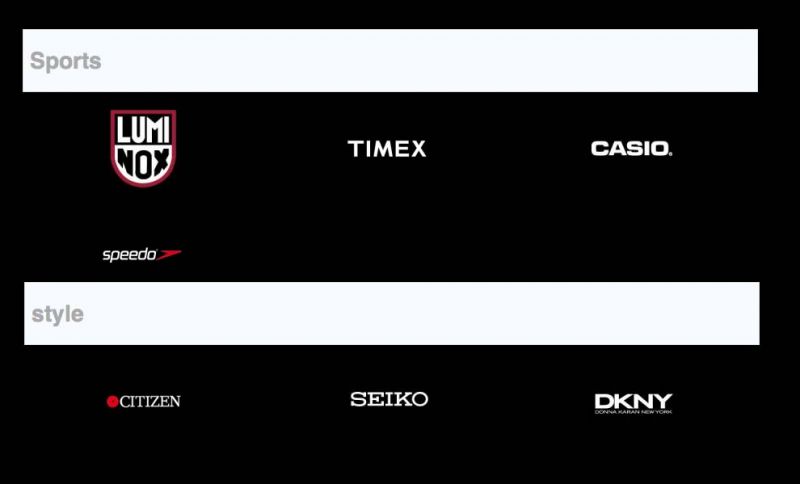
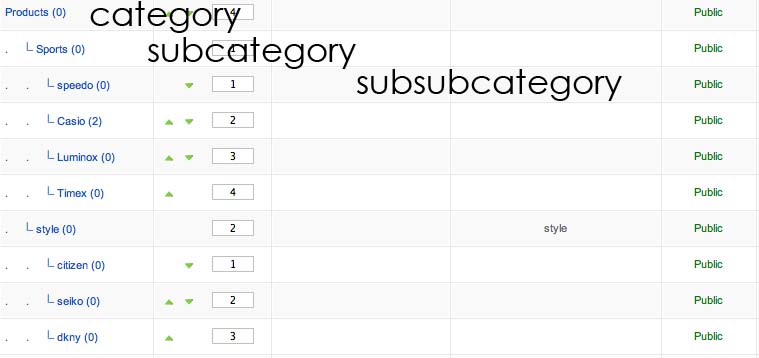
I don't really understand what you're trying to achieve here. but are you trying to display 2 categories in a single menu ? Meaning when i click the menu Product, then i see Sports and Style ?
K2 Rocks \m/
Topic Author
14 years 11 months ago #59305
Oh yes, you are right i'm trying to get that is it possible?
14 years 11 months ago #59306
Hi,
What you can do is :
Olivier
What you can do is :
- creating a parent category for your Sports & Style categories
- creating a menu item pointing to this parent
- overriding the K2 template (check my signature for link)
- updating the category.php to display each category with items just below
Olivier
Topic Author
14 years 11 months ago #59308
Can you also show me the link and how to do the editing not the category.php
14 years 11 months ago #59309
Hi,
You have nothing to download, everything you need is already on your website.
Follow instructions here : getk2.org/documentation/tutorials/item/174-templating-with-k2-and-the-concepts-of-sub-templates
When this is done, you have to edit the category.php file from your new K2 template and do some php stuff to reorganize your categories/items.
Let's say you have set the layout to display all items from the parent category (catalog mode = No), with sub categories, and all items as secondary. You have to parse your item array to reorganize it per category (Sports, Style) and after that, parse this new array and display for each category, the category info and specific items.
Olivier
Topic Author
14 years 11 months ago #59310
Hi,
thanks i have learn something about the template and i do understand but i wanted to show sub -sub category which i could not find the code or do i have to write another php code to show?
Attachment not found
Log in or create an account to reply.