14 years 9 months ago #62042
COMMUNITY FORUM
- Forum
- K2 Community Forum
- English K2 Community
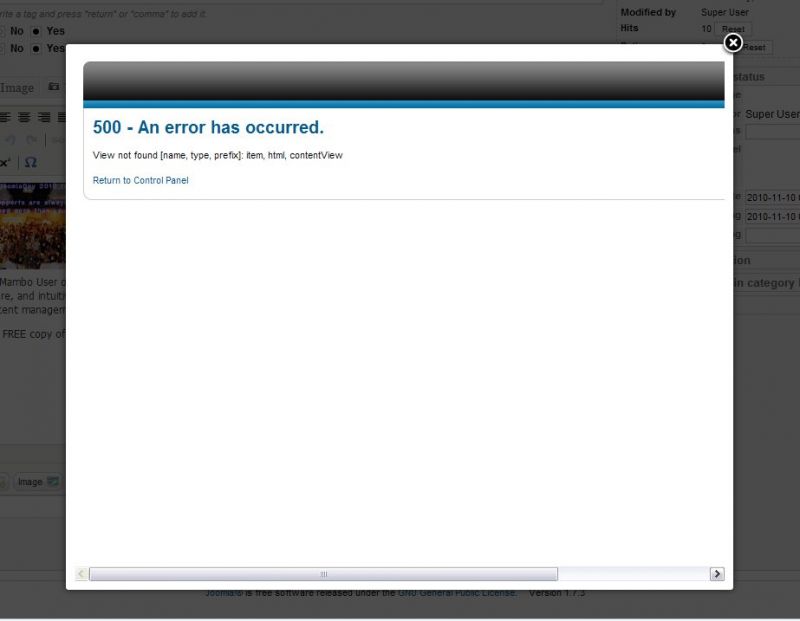
- Ja Typo troubleshot Joomla 1.7.3 + K2 2.5.4
Ja Typo troubleshot Joomla 1.7.3 + K2 2.5.4
14 years 9 months ago #62043
Can ask at the JA forums (if you haven't done so already).
Just to check: do you have the most recent version of the JA Type plugin?
They update JA Typo (and all the other JA plugins) pretty frequently. I've sometimes found that the one bundled with older JA templates is very, very out of date. Might be worth a check to see if there's a more recent one available.
14 years 8 months ago #62044
It happened to me too.
Solution: Uninstall the plugin. But offcourse you are not able to see your front end right and neither the back-end, so you should go to your mysql database find the table with the plugin, search for something like active = 1, Turn it off with active = 0. Something like that. Then you will be able to get in again into your template.
I am sure must of your problem are running around permissions in your hosting. So you should take a look there too and change permission 644 to 755. After that you are sure you will be able to upgrade your ja_plugins and etz.
So upgrade your Ja_components download the Ja_Typo Plugin again and install it, after that you will not face more problems with upgrading.
Let me know if this help you.

Solution: Uninstall the plugin. But offcourse you are not able to see your front end right and neither the back-end, so you should go to your mysql database find the table with the plugin, search for something like active = 1, Turn it off with active = 0. Something like that. Then you will be able to get in again into your template.
I am sure must of your problem are running around permissions in your hosting. So you should take a look there too and change permission 644 to 755. After that you are sure you will be able to upgrade your ja_plugins and etz.
So upgrade your Ja_components download the Ja_Typo Plugin again and install it, after that you will not face more problems with upgrading.
Let me know if this help you.

Log in or create an account to reply.