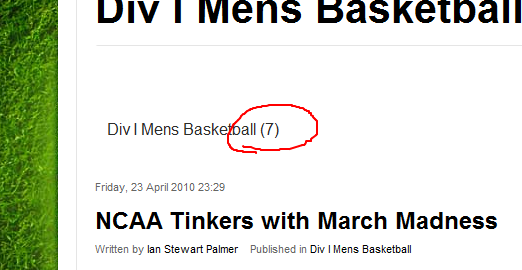


I see in the K2 parameters where I have an option to hide the default category image if none is present. I've done that, but it still leaves me with this link text containing the name of the category and the number of articles for each.
I've gone through the parameters and turned off everything I could see that related to categories, but the text remains. In some instances I was able to remove it by going to menu manager, opening the menu item, and changing it to "no" where it asked if it should include child categories. But for some strange reason, this only works on some categories. On others, the menu item automatically resorts back to "yes".
What do I have to do to get these links off the screen?