- Posts: 1
COMMUNITY FORUM
Cants grand rights to author for k2
- tobi
-
Topic Author
- Offline
- New Member
Less
More
13 years 11 months ago #105064
by tobi
Cants grand rights to author for k2 was created by tobi
Hi guys,
am I doing something wrong? I want to crant an author rights to write an item in the backend.
I created a user tester.
tester is in the joomla default groups
public, manager, puplisher
in K2 tester is assigned as siteowner.
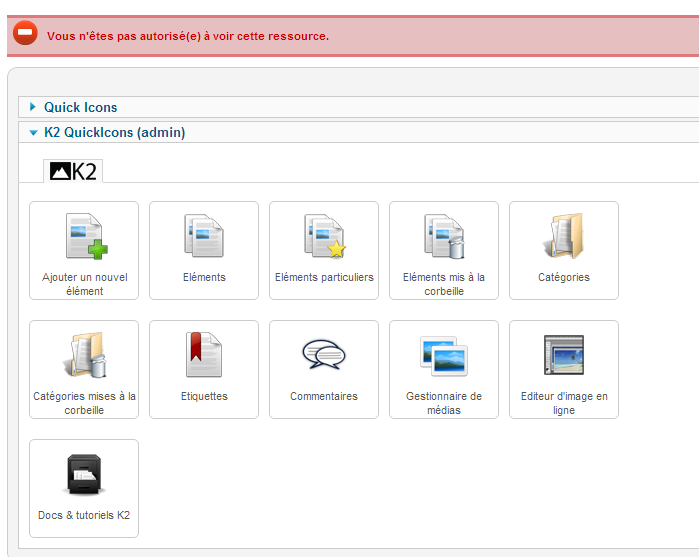
If i logg in with this user to the backend it says:
You are not authorised to view this resource.
If i grand the tester adminrights it works.
There must be something wrong?
regards, Tobi
am I doing something wrong? I want to crant an author rights to write an item in the backend.
I created a user tester.
tester is in the joomla default groups
public, manager, puplisher
in K2 tester is assigned as siteowner.
If i logg in with this user to the backend it says:
You are not authorised to view this resource.
If i grand the tester adminrights it works.
There must be something wrong?
regards, Tobi
Please Log in or Create an account to join the conversation.
- bony
-
- Offline
- New Member

Less
More
- Posts: 14
13 years 11 months ago - 13 years 11 months ago #105065
by bony
Replied by bony on topic Re: Cants grand rights to author for k2
same on :(
joomla v 1.7.4 stable
k2 v 2.5.5
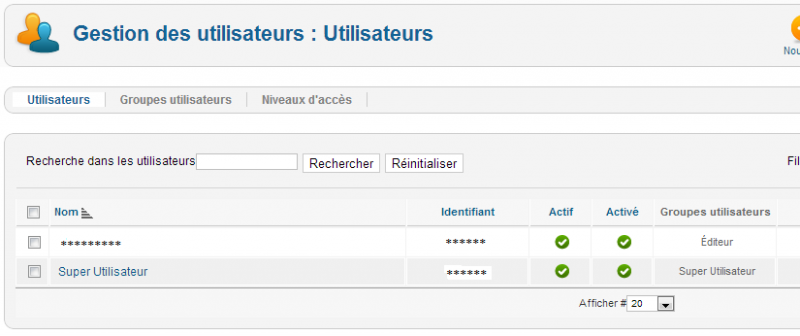
joomla user as : publisher
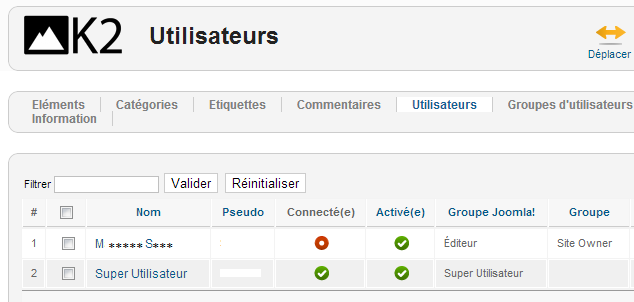
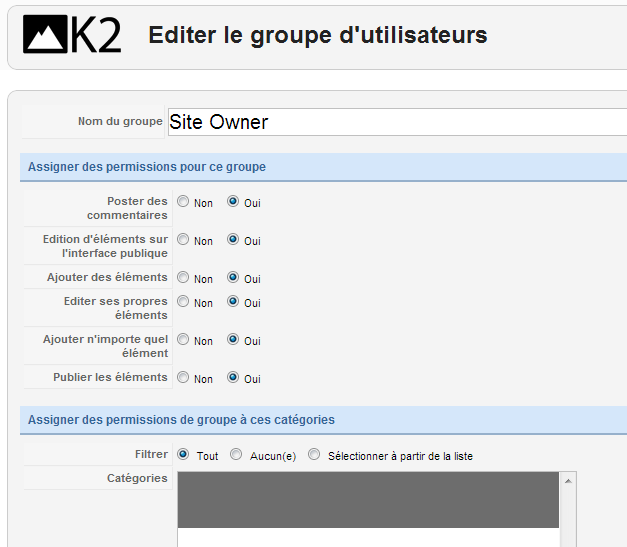
k2 user as : siteowner (all rights on 'yes' / all cat. selected)
only works if joomla user on 'superadmin' !
joomla v 1.7.4 stable
k2 v 2.5.5
joomla user as : publisher
k2 user as : siteowner (all rights on 'yes' / all cat. selected)
only works if joomla user on 'superadmin' !
Please Log in or Create an account to join the conversation.
- bony
-
- Offline
- New Member
Less
More
- Posts: 14
13 years 11 months ago #105066
by bony
Replied by bony on topic Re: Cants grand rights to author for k2
So... i've got the solution!
I'm trying to help you with my so poor english ^^
first you have to create a new 'usergroup' in joomla, call him for example : authorsarticles.
You must use 'public' group as a parent for him.
2) Go to 'Users' => 'acces level' => edit the 'special' level => add the new group 'authorsarticles' this level. (chek box)
3) go to 'website or site' (top left) => configuration => TAB 'rights' clic on the group 'authorsarticles'
check the box like the screen

4) Go to 'articles manager' => parameters => TAB 'rights'
check the box like the screen

5) Go to K2 'elements manager' and repeat the operation -> 4)
6) affect to a test member the 'authorsarticle' group
7) Connect you with this test member login... It's working!!!
I hope it's help you ;-)
This solution is give to me by SimonG moderator of the french joomla forum.
I'm trying to help you with my so poor english ^^
first you have to create a new 'usergroup' in joomla, call him for example : authorsarticles.
You must use 'public' group as a parent for him.
2) Go to 'Users' => 'acces level' => edit the 'special' level => add the new group 'authorsarticles' this level. (chek box)
3) go to 'website or site' (top left) => configuration => TAB 'rights' clic on the group 'authorsarticles'
check the box like the screen
4) Go to 'articles manager' => parameters => TAB 'rights'
check the box like the screen
5) Go to K2 'elements manager' and repeat the operation -> 4)
6) affect to a test member the 'authorsarticle' group
7) Connect you with this test member login... It's working!!!
I hope it's help you ;-)
This solution is give to me by SimonG moderator of the french joomla forum.
Please Log in or Create an account to join the conversation.