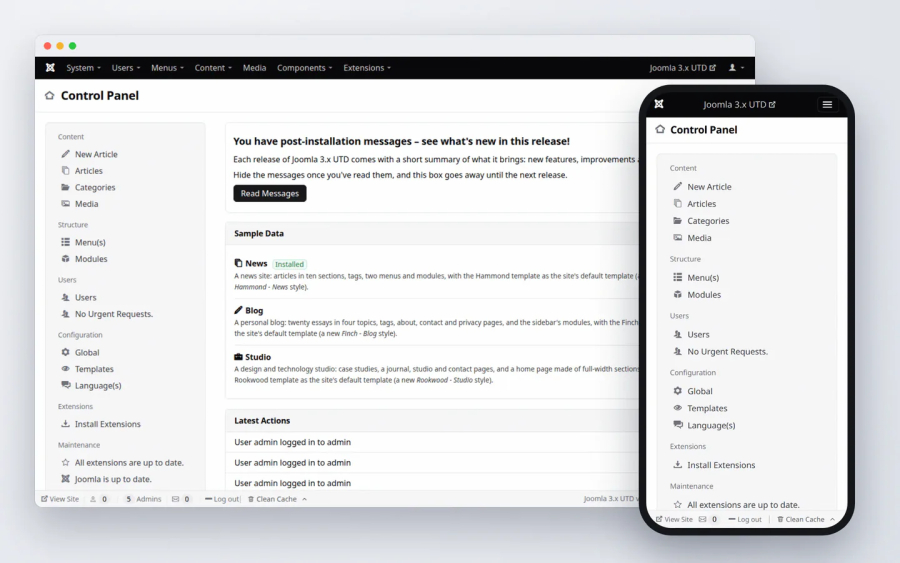
A new administrator template, Markdown and Blocks editors, a much better Media Manager, PDF files, Little WAF on by default and caching that holds up under real traffic, with no jQuery, MooTools or Bootstrap left in the core. On top of that, 12 security fixes and a long list of bugs stock Joomla 3 never got round to.
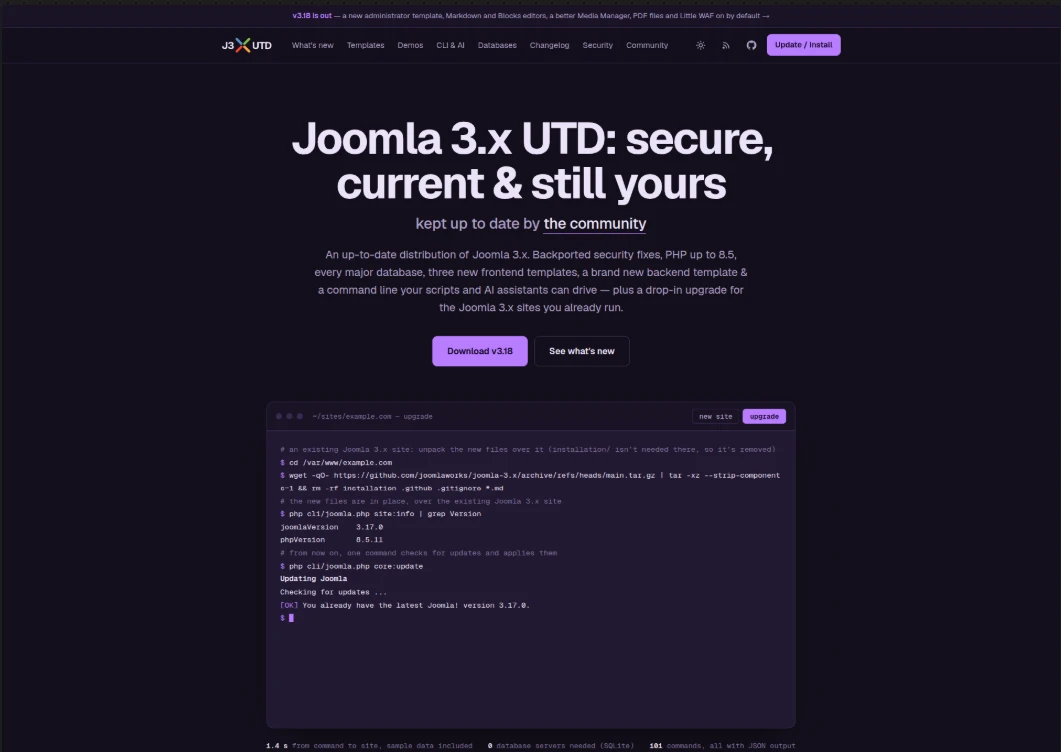
For a more visual walkthrough of all new features, you can check out the updated site for v3.18 of Joomla 3.x UTD at: j3xutd.joomlaworks.net
What’s New in v3.18
Here is a summary of the key enhancements, fixes, and refinements included in this release:
Summary of changes:
- Much more of the core can be removed, cleanly: Articles, Private Messages, Privacy, Redirect, Tags, Wrapper, the Breadcrumbs and Syndication Feeds modules and CodeMirror can be uninstalled (using K2 instead of Articles? uninstall Articles, the rest keeps working). A component takes its tables, modules, plugins, media, Smart Search entries and menu items along, and "Restore uninstalled core extensions" brings them back
- Prothero, a new black and white administrator template with a dark mode, the default on new sites (Isis stays, and works with the same extensions)
- New editors: Markdown (EasyMDE) and Blocks (Editor.js), next to TinyMCE 8, and an editor switcher in the administrator for moving between TinyMCE, TinyMCE (legacy), Markdown and Blocks without losing unsaved changes; PDF files shown on the site with a viewer & a new editor button to make attaching PDF documents with inline previews a breeze!
- A better Media Manager: drag and drop uploads, cropping, renaming in place, large previews of images, audio, video and PDF files, and optimised uploads (upright, WebP, no metadata)
- Little WAF, on by default: blocks scans, attack tools, executable uploads and object injection, sends safe security headers and cleans up the malformed addresses crawlers make up
- Faster, sturdier caching: campaign and social links get cached pages, a page is rendered once however many visitors ask for it, stale pages keep a busy or failing site answering, and cache times are exact across Joomla, Varnish, CDNs and browsers, and the file cache reads about 30% faster
- Redirects how you want them, not just for error pages: create custom redirects as you like
- Structured data, Open Graph and X cards for every page
- CAPTCHA plugins: Updated Google's reCAPTCHA to support all active versions & added new ones for Cloudflare Turnstile, hCaptcha, Akismet and IconCaptcha (fully self-hosted)
- No jQuery, jQuery UI, MooTools or Bootstrap in the core: one shared plain JavaScript file (
global.js) does the work, and old names keep working for extensions. Tested extensively on many popular large extensions (K2, VirtueMart, HikaShop, JEvents, JCE, Convert Forms, AcyMailing, Community Builder and others) - Smart Search fixes for large sites (#9, #21, #23), more PHP 8.2–8.5 fixes (#20)
- An amazing new debug console: a button at the bottom right opens a panel with tabs (time, memory, queries, errors), light and dark
Every change is described in detail in CHANGELOG.md.
New features:
- Administrator:
- Prothero: Isis' markup with a minimal black and white look, light and dark colour schemes (automatic by default), a choice of colours for the menu bar and a matching login page; the installer asks which administrator template to use
- Editor switcher: switch between TinyMCE, TinyMCE (legacy), Markdown and Blocks for the session, without losing unsaved changes; a Default Editor (Site) option for front-end editing
- The debug console opens from a button at the bottom right, as a panel with tabs (time, memory, queries, errors), light and dark
- System Information lists the bundled third-party software (version, licence, home page; outdated software marked), and a "System Information" module sits beside the Control Panel's quick icons
- Content:
- "Editor - EasyMDE (Markdown)": write in Markdown, with preview, side by side and drag and drop uploads; content is still saved as HTML
- "Editor - Blocks (Editor.js)": write content as blocks (headings, lists, images, embeds, quotes, tables, code, notes, HTML, Read more), saved as HTML which the site template's block layouts decide; templates add blocks of their own (Rookwood: Hero, Testimonials, Services); a preview at desktop, tablet and phone widths; a "Custom Blocks" module
- "Custom Code" module (site and administrator): your own HTML, CSS, JavaScript or embeds, written in CodeMirror and output as it is
- PDF files: a viewer on the site (
), a PDF button in the editors, previews in TinyMCE, the Blocks editor and the Media Manager; each sample data set shows one in an article
- Media Manager: drag and drop uploads into the folder shown (also in the image picker), cropping (free or 21:9 to 1:1, as a new file or over the original), renaming files and folders in place, square thumbnails you can make smaller or larger, large previews of images (with the arrow keys), audio, video and PDF files. Images uploaded in the editors are turned upright, saved as WebP, stripped of their metadata (GPS included) and filed in dated folders; resizing and a copy for phones (with
srcsetwritten by the editors) are options, andmedia:optimizedoes the same for existing images - Security:
- Little WAF's generic protections (whatever extensions a site has), security headers (safe ones on by default) and URL Normalizations; an optional secret key in the administrator's address
- Four new CAPTCHA plugins: Cloudflare Turnstile, hCaptcha, Akismet (spam filtering without a challenge) and IconCaptcha (self-hosted, no keys, enabled); one Google reCAPTCHA plugin for the checkbox, invisible and score (v3, new) types
- Redirects: any address can be redirected, on the site or elsewhere (301 or 302), with matching that ignores case, slashes and
index.php/, query strings passed on, loops refused and chains warned about; errors (404 and others) collected into a list of their own (off by default) with a "Create Redirect" button; import that checks every line - Search engines and social networks: "System - Structured Data & Social Tags" writes Google structured data (JSON-LD), Open Graph and X card tags for every page, with any template; the type of articles (Article, News Article, Blog Post, Review, Recipe...) per site, category or tag
- Caching: the page cache ignores tracking parameters (
utm_*,fbclid,gclid... editable in Global Configuration), has its own times for the home page and other pages, serves stale pages while one request refreshes them (and instead of an error page), sendsAge,s-maxage,stale-while-revalidate,stale-if-errorandX-Logged-Infor Varnish and CDNs, and the file cache reads about 30% faster - For developers: behaviour from markup (
data-validate,data-tooltip,data-searchable... without a call in the view),<jdoc:include type="footer" />for the CMS's scripts at the end of the page,addPreconnect()/addDnsPrefetch()/addPreload()also sent asLink:headers (Early Hints), console plugins adding command line commands (CLI-GUIDE.md), and PostgreSQL understanding MySQL-style backticks; see API-GUIDE.md
Improvements:
- Clean Cache tells you how much it removed: how many items and how much data
- The Clear Cache page shows one list on Memcached, Redis, APCu and WinCache, which keep one cache for the site and the administrator, instead of two identical tabs
- Clear Expired Cache is now a button on the Clear Cache page, not a page of its own. Memcached and Redis remove expired items by themselves, so there the page says that instead
- Memcached compression is on by default for new sites: cached pages take far less memory
- Plain JavaScript instead of jQuery, jQuery UI, MooTools and Bootstrap's scripts throughout the core: modals, tooltips, tabs, searchable lists (Chosen rewritten, same look), search tools, subforms, drag and drop reordering (with touch), date fields (the browser's date input; Jalali for Persian), colour fields (the browser's colour picker), show-on fields, the Media Manager and Joomla Update; old names and jQuery plugin calls keep working for extensions, and MooTools stays available for those that ask for it
- Bootstrap Icons replace IcoMoon (the
icon-*classes keep working), core icons are SVGs in the text's colour, and the language flags are redrawn - Isis and Protostar are plain CSS (no more Less; Isis' stylesheets about a third of their former size), wider form fields in the administrator, and no files for old Internet Explorer anywhere
- Hammond, Finch and Rookwood send resource hints (also as
Link:headers for Early Hints), and every page's stylesheets and scripts are sent as preload headers - Hammond, Finch and Rookwood: give a module the class
wideto take it from one side of the window to the other (e.g. a slideshow on the home page) - Updated libraries: PHPMailer 7.1.1 (was 5.2.28), CodeMirror 5.65.21 (with a dark theme), jQuery UI 1.14.2 (for extensions still requiring it), SimplePie 1.9.0 (for extensions still requiring it), Symfony Yaml 4.4, sodium_compat 1.24.2; removed: HTML5 Shiv, Google's reCAPTCHA client, unused web service libraries and polyfills for PHP below 7.1
- Media Manager: current file types uploadable by default (WebP, AVIF, MP4, WebM, MP3, Opus, FLAC, Office...; SVG deliberately not), uploads up to 128 MB, a name already taken gets the time added instead of failing
- The core system plugins run in a better order (Little WAF, Redirect, Language Filter, Remember Me and Page Cache first), so cached pages skip third-party plugins' work
- Sites updating get TinyMCE 8 as default editor (when they used TinyMCE 4) and Prothero as administrator template (when they used Isis); the "What's New" message lists what to check after updating
- PostgreSQL 9.5 is now the minimum (was 9.0); the distribution's PHP code follows PSR-12
Security fixes:
- TinyMCE updated to 8.10.1, which fixes a way to slip harmful code into content through its media plugin
- Hammond, Finch and Rookwood no longer show the full text of restricted articles to visitors who aren't allowed to read them
- Media Manager uploads can no longer end up in a folder outside the media folder, and dangerous file types are caught however their names are capitalised
- Extensions can no longer accidentally open the page to harmful code through the links, scripts and styles they add
- Command line: importing a database file can no longer run hidden commands, and an AI assistant given write access can no longer create administrators unless it was explicitly allowed to install code
Bug fixes:
- Administrator:
- Lists no longer make the page scroll sideways on tablets and narrow windows: the least important columns are hidden, only as many as needed to fit
- Modules dragged to a new place in the Modules list now stay there
- The windows opened by the editor's buttons and by image fields fit on phones and small tablets
- Checkboxes in lists line up with the text beside them
- Smaller fixes in Language Overrides, menu assignments, module ordering, Smart Search, Banners, the extension installer, two-factor authentication and Install from Web
- Site and templates:
- Some third-party modules no longer lose their module container (title, classes and layout) once caching is on
- Hammond, Finch and Rookwood show an Edit link to users who may edit an article, as Joomla's own layouts do
- Hammond, Finch and Rookwood: subcategory lists expand, Smart Search's advanced options open, search suggestions no longer cover the Search button, the image picker for front-end editing looks right, and form lists follow the dark themes
- Rookwood's main menu and Protostar no longer make the page scroll sideways at some widths
- Pages without a menu item of their own (login, tags, search...) no longer get "Site - Site" as their title
- Error pages show the right error, and a site whose template was deleted shows another template instead of an error
- Deleting a menu item no longer hides modules shown "on all pages except" that item
- The password reset form checks the email address before sending
- Media Manager: common file types the settings allow (icons, OpenDocument files, older Excel and PowerPoint files) upload again, refused files get a clear message, and videos in subfolders play
- Search and Smart Search:
- Rebuilding the Smart Search index no longer stops partway on MySQL and MariaDB, nor from the command line
- Searching by date works with only a start or an end date, and the "All" results setting shows results
- Searches find words typed without accents, also in Greek and other alphabets, and search suggestions work on SQLite
- Caching (bugs inherited from Joomla 3):
- If the cache server can't be reached, runs out of memory or asks for a password, the site keeps working without the cache. Before, some of these cases showed an error on every page, including the administrator, where the setting could have been changed. Administrators now see a warning.
- When several visitors ask for the same page at once, only one builds it on Redis and APCu too (it already worked this way on Memcached and the file cache), which matters most during traffic spikes.
- Clear Expired Cache now really removes expired items on APCu.
- The Clear Cache page and the command line now say when cleaning failed, instead of reporting success.
- Memcached works with very long cache times (over 30 days) and over a socket file.
- Clearing the cache works on large, busy sites with file or Memcached caching, Memcached no longer slows down as the cache grows, and Redis clears faster and shows true sizes
- Clear Expired Cache also cleans the site's cache (it only cleaned the administrator's)
- A damaged cache entry no longer shows visitors an empty page
- Browsers can reuse cached pages they already have, and forms on cached pages work for every visitor
- Visits from social media or newsletter links (with tracking codes) no longer change what cached pages show others
- Clearing the cache only clears this site's cache, also from the command line
- Databases:
- Lists no longer show some items twice and skip others when going from one page to the next
- PostgreSQL: pages work with debugging or caching on, and new items save
- SQL Server: private messages and privacy consents save, and Smart Search indexes every item
- SQLite: searches work in every alphabet, and a few lists and options fill in correctly
- Moving a site from MySQL 8 to MariaDB or an older MySQL works
- Command line and MCP: installing extensions such as VirtueMart, enabling plugins like Page Cache, editing articles (their formatting was lost) and changing settings through an AI assistant all work as expected
- Updates and extensions:
- Uninstalling a core component also removes the extensions that only served it and the files it left behind, and nothing else breaks without it
- The plugin everyone needs to log in can no longer be uninstalled by mistake
- Updating an old site keeps the Beez 3 template if the site uses it, and updates remove files that are no longer part of Joomla
- Installing a new site no longer starts over when a step shows a warning
- Sample data no longer hides every module after an interrupted install
- PHP compatibility: warnings that filled server logs on PHP 8.1–8.5 are gone, older extensions built on FOF work on PHP 8, two-factor logins set up in Joomla 3.2–3.6 work on PHP 8, and exporting the User Actions Log works on PHP 7
- Other: small fixes in the code editor (CodeMirror), and missing texts that showed as codes were added
Joomla 3 bugs fixed:
Part of what this project does is fix what never got fixed in Joomla 3 itself. These are the ones site owners are most likely to have met, all already there in the Joomla 3.10 code this distribution started from, and also part of the list above. The CHANGELOG marks more than 70 fixes in this release as "stock Joomla 3".
- Caching:
- An unreachable cache server, or a Redis server out of memory, took the whole site and its administrator down
- With Redis or APCu, a traffic spike rebuilt the same page once per visitor instead of once
- Cached pages could give a visitor someone else's form token
- A damaged cache entry showed an empty page until it expired
- Clearing the cache could fail on large, busy sites
- Clear Expired Cache left the site's own cache untouched
- Browser caching of cached pages never worked
- Modules:
- Modules dragged to a new place in the Modules list went back on the next page load
- Deleting a menu item could make a module disappear from every page
- A module could lose its surrounding markup once caching was on
- Search and Smart Search:
- Smart Search's full reindex stopped with "table is full" on MySQL and MariaDB with default settings
- Search dropped results when a word was typed without the accents of a non-Latin script, such as Greek
- Administrator:
- Windows opened by the editor's buttons ran off the screen on phones
- Administrator lists scrolled sideways on tablets
- "User - Joomla!" could be uninstalled, after which nobody could log in
- Media Manager: common file types the default settings allow (icons, OpenDocument files, older Excel and PowerPoint files) couldn't be uploaded
How to Upgrade (or Start Fresh)
For Existing Joomla 3.x / UTD Sites (via Web UI)
If your site is already on Joomla 3.x (any release from 3.0 up to 3.10.x, or an earlier UTD version), you can update directly via the backend:
- Navigate to Components → Joomla! Update (or Global Configuration).
- Click Options and set:
- Update Channel:
Custom URL - Minimum Stability:
Stable - Custom URL:
https://joomlaworks.github.io/joomla-3.x/list.xml
- Update Channel:
- Save and close. Check for updates, and v3.18 will appear ready for a one-click upgrade.
Update via SSH
To upgrade an existing installation over SSH, navigate to your site's root directory and run:
wget -qO- [https://github.com/joomlaworks/joomla-3.x/archive/refs/heads/main.tar.gz](https://github.com/joomlaworks/joomla-3.x/archive/refs/heads/main.tar.gz) | tar -xz --strip-components=1 && rm -rf installation .github .gitignore *.md