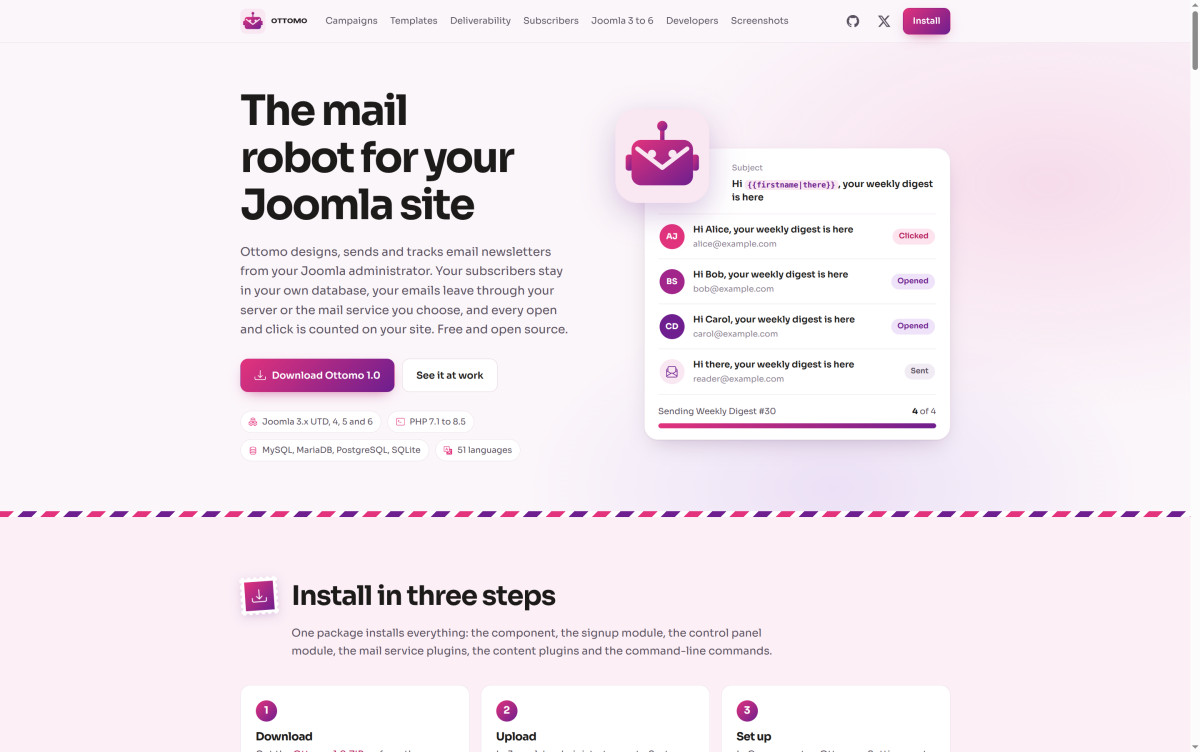
Ottomo is "the mail robot for your Joomla site". And it's also the first "large" JoomlaWorks extension where the very same ZIP installs on Joomla 3.x UTD, Joomla 4, Joomla 5 & Joomla 6.
Newsletters are one of those things every site eventually needs. Most site owners end up either paying a SaaS provider per subscriber (and handing over their audience along with it), or dealing with heavy, bloated extensions that feel like they were designed a decade ago. We wanted something in between: modern, simple to use, respectful of email standards and fully under your control.
For a full visual walkthrough of everything Ottomo does, have a look at its new site: ottomo.joomlaworks.net
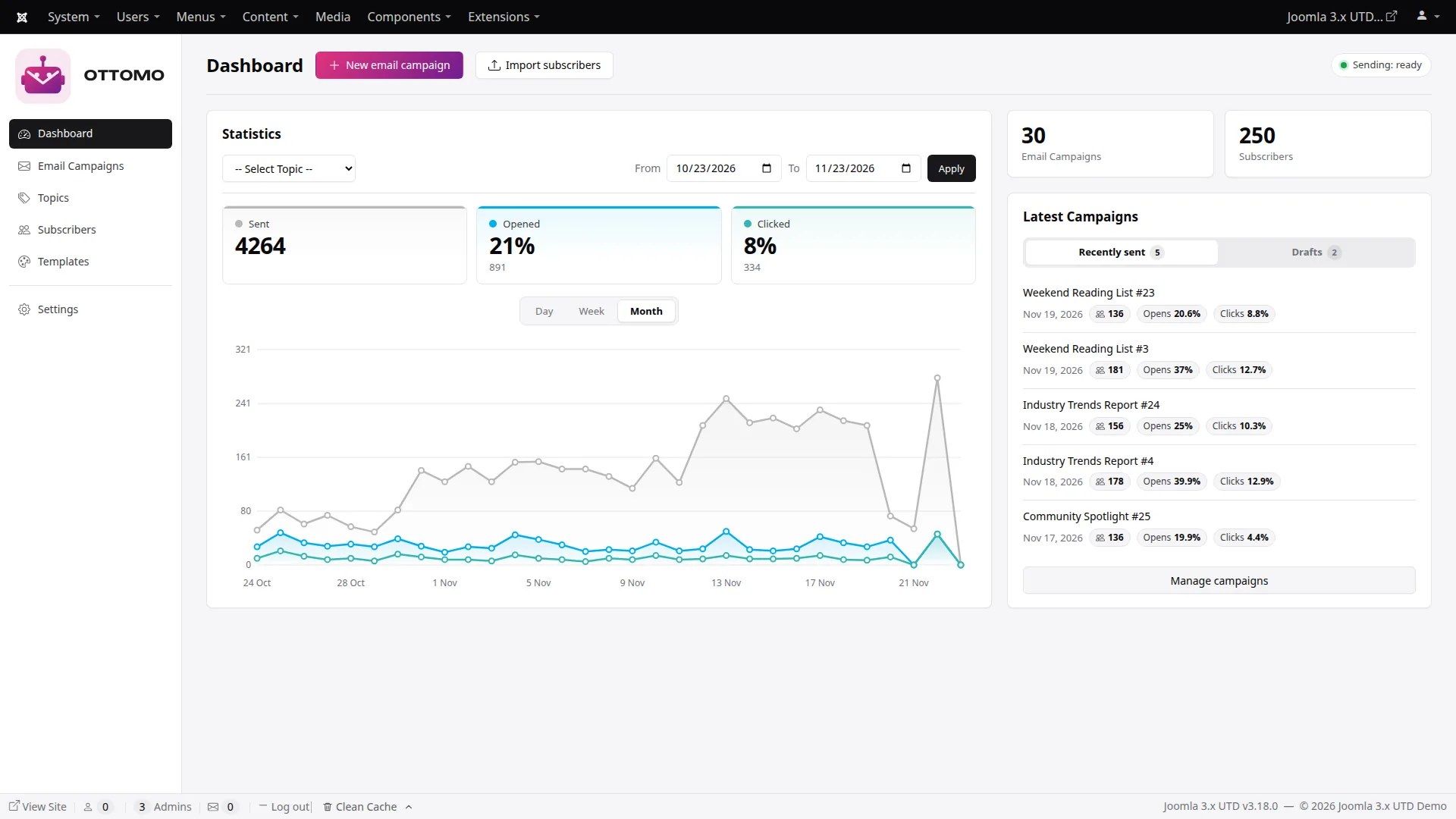
Here's a summary of what's in v1.0:
- A 4-step campaign wizard: who gets it, how it looks, what it says and sending it. From idea to inbox in minutes.
- A designer that writes like a document: click into the email and type. No blocks to configure, no HTML to learn. The result is email-safe HTML that renders properly in Gmail, Apple Mail & Outlook.
- 6 email templates, light & dark: 600px wide, responsive, with dark palettes for Apple Mail, iOS Mail & other dark-mode clients. And yes, they render properly in classic Outlook for Windows too.
- Made to reach the inbox: one-click unsubscribe headers (RFC 8058), SPF/DKIM/DMARC checks, no Gmail clipping, double opt-in & suppression lists. Ottomo follows the rules Gmail, Yahoo and Outlook set for bulk senders by default.
- Send through your server or a mail service: PHP mail, Sendmail & SMTP out of the box, plus Amazon SES, Brevo, Mailgun, Mailjet, SendGrid & SendPulse with just an API key (no SDK to install).
- Your audience, on your site: import subscribers from Joomla Users, AcyMailing, Kunena, Meela, VirtueMart, HikaShop, CSV files or pasted text.
- Opens & clicks, without third parties: all statistics are stored on your site.
- Signup forms that look like your site: a signup module with 2 layouts, a subscriber preferences page & a public archive of sent campaigns.
- Joomla 3.x UTD to Joomla 6: one package, looks the same in Prothero & Atum, in light & dark, on desktops, tablets & phones.
- Plain code you can extend: plain PHP, CSS & vanilla JavaScript. No build step, no jQuery. A command line, plugin events & documented email templates.
- 51 languages out of the box.
Campaigns:
Every campaign follows the same wizard. Finished steps get a tick and you can go back to any of them at any time.
- Details & recipients: subject, preview text & sender, then tick the topics (mailing lists) to send to. Ottomo counts the active subscribers it will reach, each person only once.
- Design: pick one of the 6 email templates, or one of your own.
- Content: write in the designer, with Joomla articles, K2 items, images & HTML blocks, plus personal touches like
{{firstname|there}}. - Send: a pre-flight checklist, a test email, then sending in batches with a progress bar. If the browser tab closes, the campaign resumes with the people still waiting and nobody gets it twice.
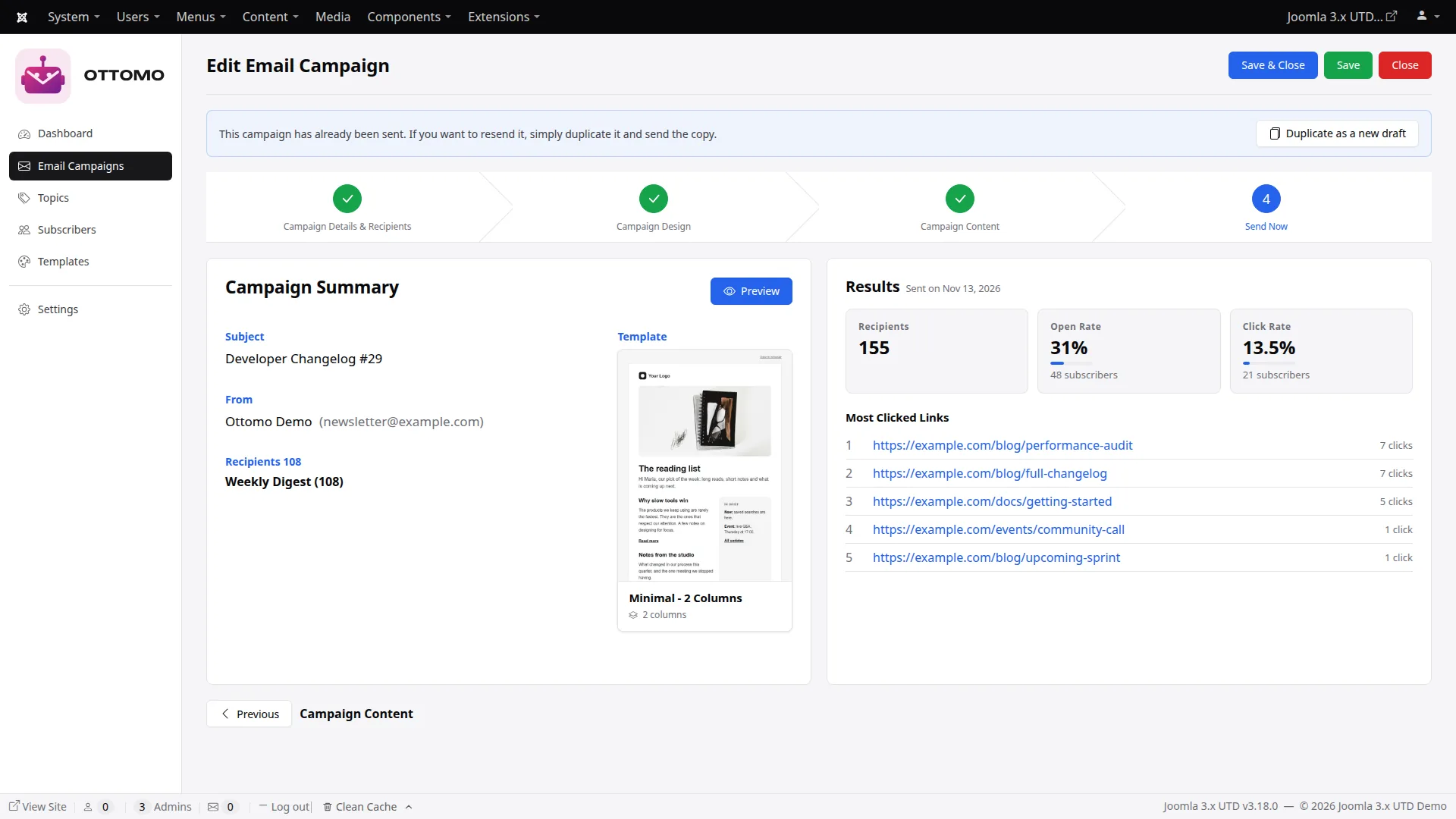
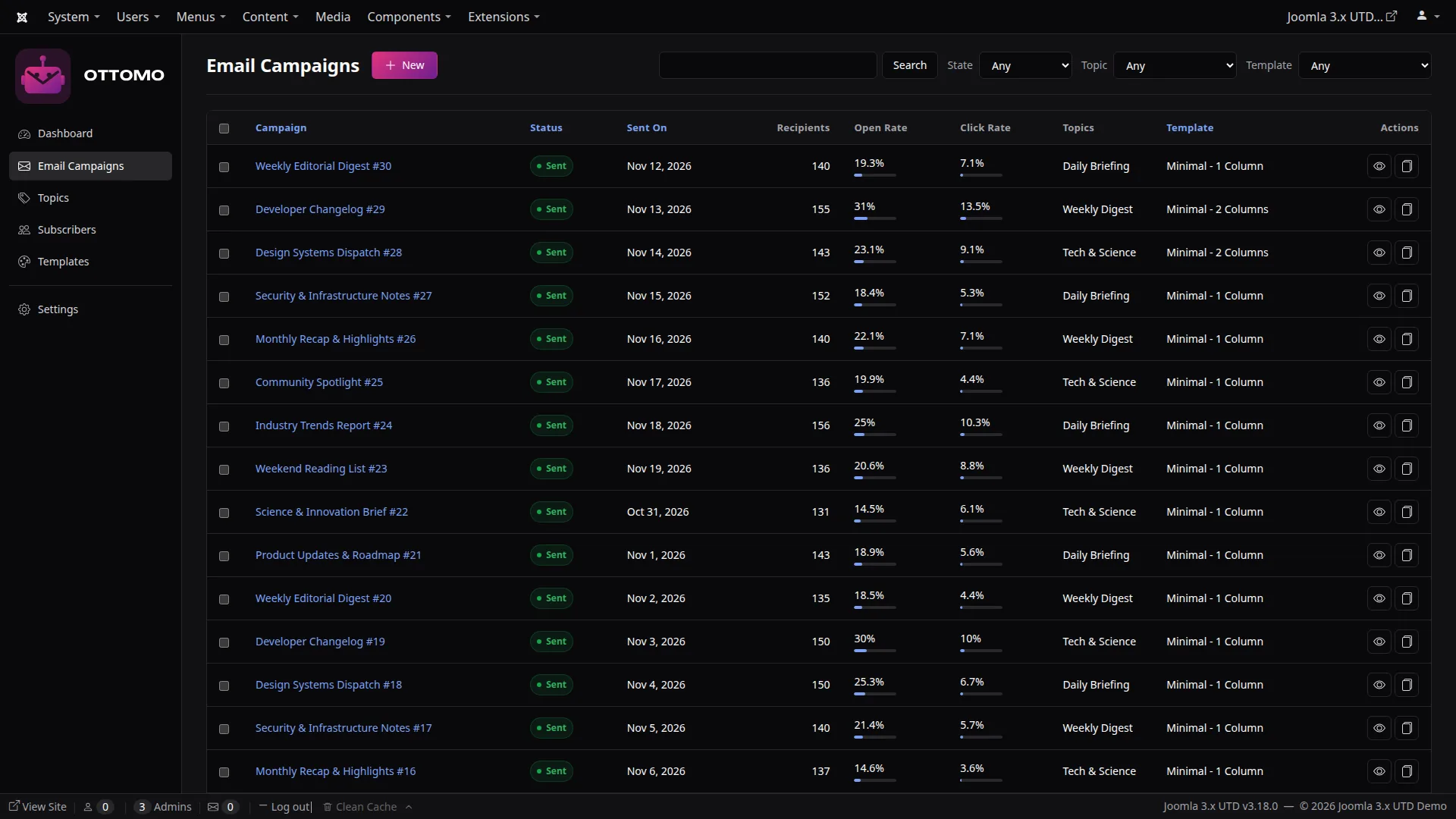
Afterwards, the same page shows the campaign's recipients, unique open & click rates and its most clicked links. You can duplicate any campaign as a new draft to send an improved version.
The designer:
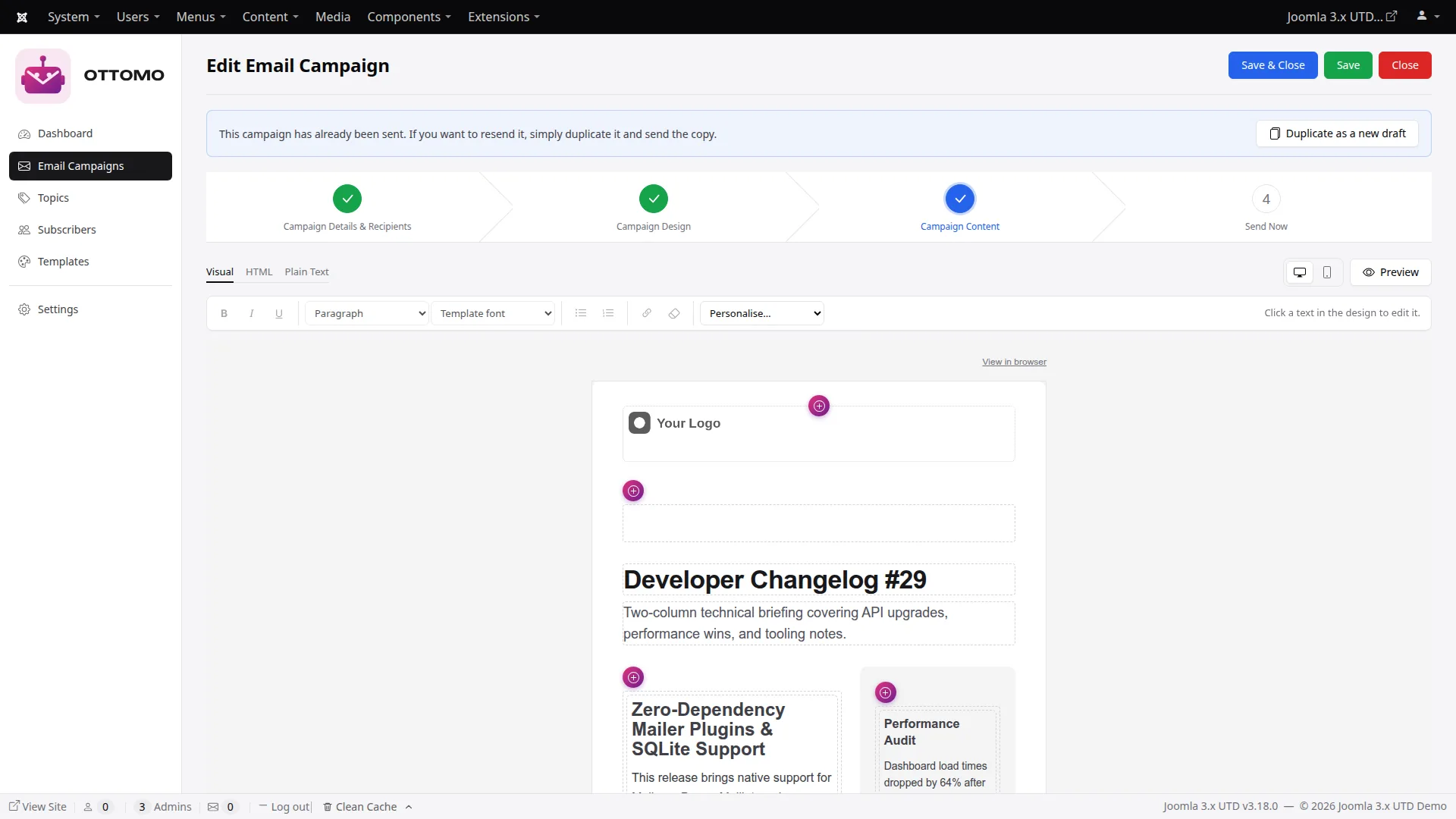
- Edit in place: bold, italic, headings, lists, links and an email-safe font menu, right on the email. Pasted text arrives clean.
- A "+" in every position adds Joomla articles, K2 items, images from the Media Manager or your own HTML.
- Drag and drop blocks within & between positions with the mouse, or with the arrow keys.
- A code editor for full control, kept in sync with the visual editor, and a plain-text version sent alongside the HTML one.
- Switch the preview width between desktop & phone while you write. Columns stack on phones on their own.
- Personalization with first name, company, city & other profile fields, in the subject and the content, with a fallback when a value is missing.
Email templates:
Ottomo ships with 6 templates, all with sample content to start from:
- Minimal, 1 column: a clean everyday newsletter.
- Minimal, 2 columns: a main column and a sidebar.
- Announcement: one message, one call to action.
- Studio: editorial, with a serif headline and a dark closing band.
- Linen: warm neutrals, with product, quote & event cards.
- Template Starter: plain and documented, the base for your own.
Want your own? Drop a folder into your site template's html/ottomo/ folder and Ottomo picks it up, or install it as a template package. The template guide documents the format, every placeholder and the email HTML that works everywhere.
Deliverability:
Sending an email is easy. Getting it into the inbox is the hard part. Ottomo checks your setup before you even press "Send":
- One-click unsubscribe headers (RFC 8058), as Gmail & Yahoo require of bulk senders.
- SPF, DKIM & DMARC of your sender's domain checked in the pre-flight checklist and in Settings.
- No Gmail clipping: emails are minified and the checklist shows the email's size against Gmail's 102 KB limit.
- Footers Gmail won't fold away and a Feedback-ID header for Gmail Postmaster Tools.
- Double opt-in for new subscribers. Unsubscribed addresses are kept as suppressed and are never re-added by an import.
- A compliance footer with your postal address and your own line on why people get the email.
Sending options:
PHP mail, Sendmail & SMTP (one connection per batch) work out of the box. For large lists, connect one of 6 mail services with just an API key. Each one is a small plugin, with no SDK to install:
- Amazon SES: paced to your account's send rate
- Brevo: per-recipient personalisation
- Mailgun: US & EU regions
- Mailjet: per-message results
- SendGrid: Web API v3
- SendPulse: throttled emails retried
Mail services also report their own delivery figures to Ottomo's dashboard. And whatever you send through, batches only go to subscribers who haven't received the campaign yet, so an interrupted send resumes exactly where it stopped.
Subscribers & imports:
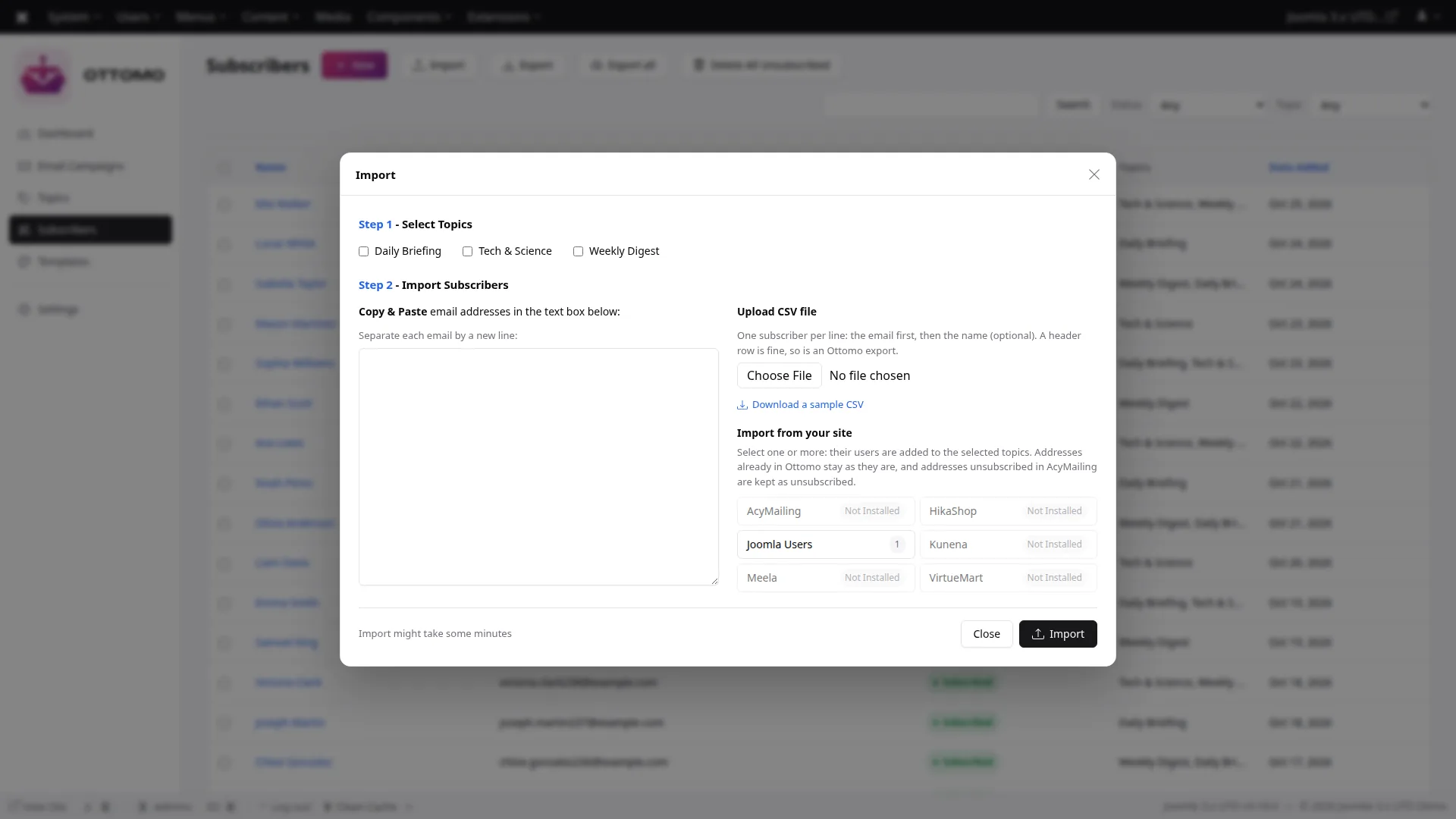
Subscribers live in your Joomla database. Bring in the people you already have in a few clicks:
- Joomla Users: activated accounts that aren't blocked
- AcyMailing: subscribers, plus those who left (as suppressed)
- Kunena & Meela: forum members who can sign in
- VirtueMart & HikaShop: customers and guest buyers, with their addresses
- CSV or pasted text, plus a CSV export of what you see
Each source shows how many addresses it holds and imports run in batches that keep any site within PHP's time limits. To give you a rough idea, 50,000 forum members take about 4 minutes.
Topics are your mailing lists. Subscribers can be in several topics, have a profile (company, city, phone & more) and a status: subscribed, pending or unsubscribed.
Statistics:
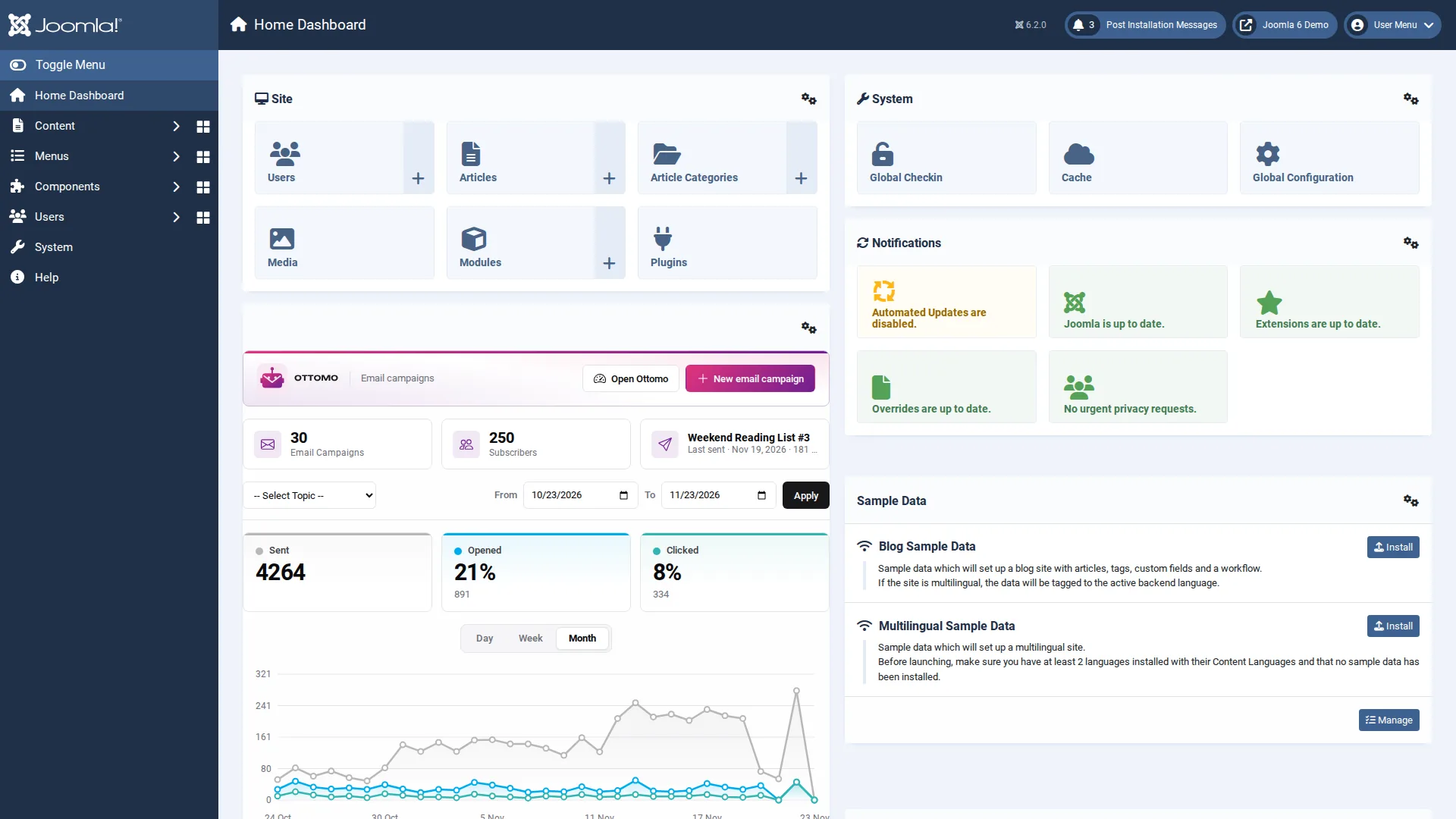
A tracking pixel counts opens and every link counts clicks, all stored on your site. External links are signed, so the tracker can't be abused as an open redirect.
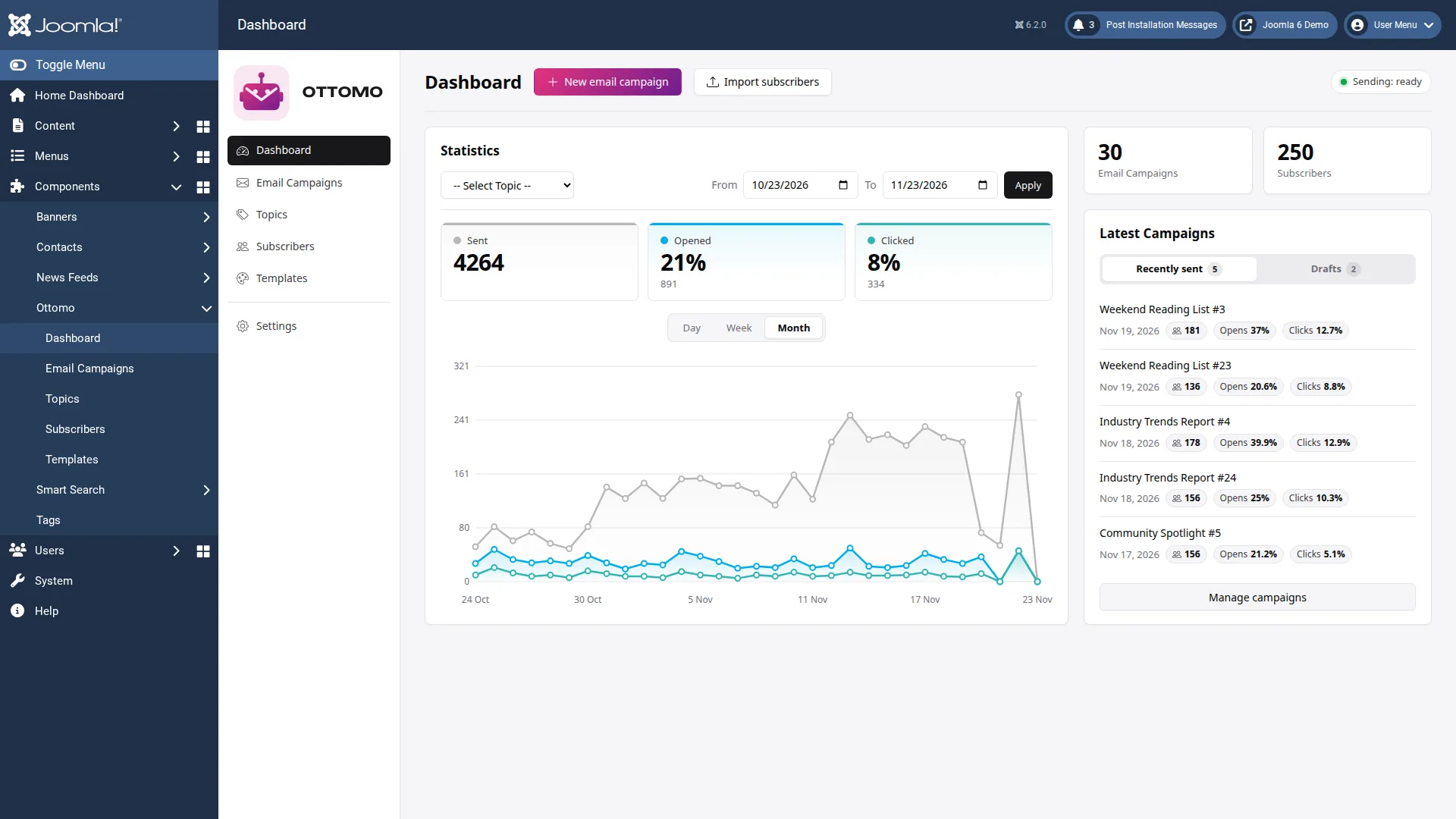
- The dashboard shows sent, opened & clicked over a day, week, month or any range, per topic.
- Every campaign shows its recipients, unique open & click rates and its most clicked links.
- A control panel module shows the same statistics on Joomla's own dashboard, with quick links.
Signup & public pages:
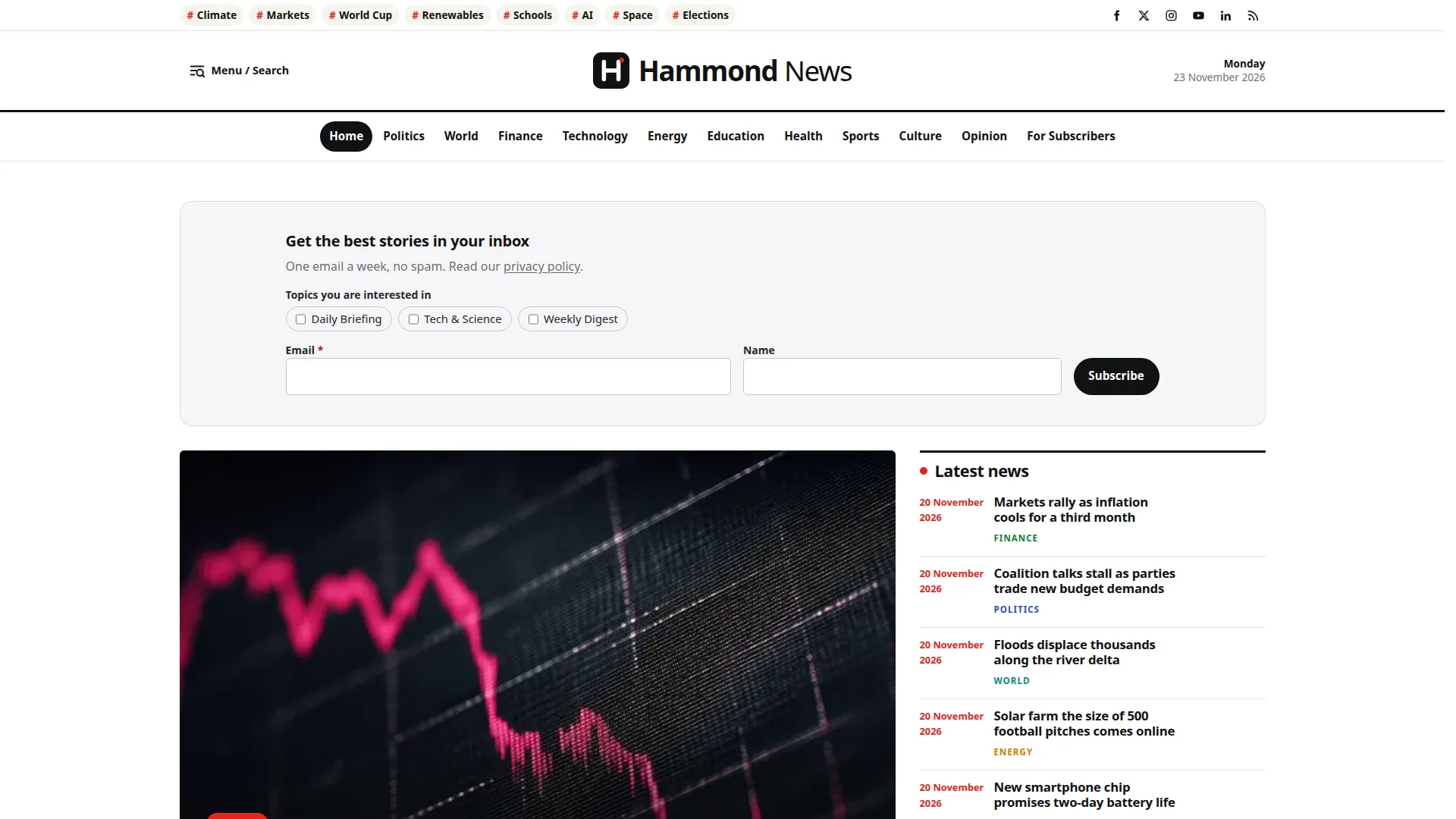
- The signup module comes in 2 layouts: a compact one for sidebars and a full-width section with topics as chips. Its CSS steps aside, so your template's fonts, fields & buttons apply.
- Choose the topics offered, the profile fields shown (and which are required) and an intro text.
- Spam protection with Joomla's CAPTCHA plugins and a honeypot field.
- Double opt-in with an activation email (HTML & plain text).
- A preferences page linked from every email: profile, topics, unsubscribe or delete the account.
- A public archive of sent campaigns, each readable in the browser ("View in browser").
For developers:
- Plain PHP, CSS & vanilla JavaScript, with no build step & no jQuery. Templates, content sources, mail services & import sources are all small, documented pieces.
- CLI commands (via
cli/joomla.php) to list, send or resume campaigns from cron, import subscribers, purge unsubscribed addresses and check the sending settings. JSON output & dry runs included. - Plugin events to add content sources to the designer's "+" menu, or a new mail service with
onOttomoSend(),onOttomoVerify()&onOttomoStatistics(). - Secure by default: CSRF tokens on every action, one permission check for every route, escaped output, signed click tracking & hashed subscriber links.
$ php cli/joomla.php ottomo:check $ php cli/joomla.php ottomo:campaign:list $ php cli/joomla.php ottomo:subscriber:import kunena --topic=3 --dry-run JOOMLA 3.X UTD TO JOOMLA 6
The same ZIP installs on Joomla 3.x UTD, 4, 5 & 6 (tested on 3.18, 4.4, 5.4 & 6.2). Ottomo looks the same in Prothero & Atum, in light & dark, on a wide screen, a tablet or a phone. It keeps its own sidebar in every Joomla and when the room gets tight (e.g. under Atum's menu or on a tablet), it folds into a menu button that slides the sidebar over the page.
SCREENSHOTS
You can browse every single screen of Ottomo, on both Joomla 3.x UTD & Joomla 6, at: https://ottomo.joomlaworks.net/#screenshots
DOWNLOAD
Ottomo is free & open source software, released under the GNU GPL.
Download Ottomo v1.0 from: https://github.com/joomlaworks/ottomo/archive/refs/tags/v1.0.zip
Release notes: https://github.com/joomlaworks/ottomo/releases/tag/v1.0
Requirements: Joomla 3.x UTD or Joomla 4, 5 or 6 and PHP 7.1 to 8.5 (within what your Joomla version supports). Databases: MySQL or MariaDB, PostgreSQL, or SQLite (on Joomla 3.x UTD).
INSTALLING
One package installs everything: the component, the signup module, the control panel module, the mail service plugins, the content plugins & the CLI commands.
- Download the Ottomo ZIP (see above).
- In Joomla's administrator, go to System > Install > Extensions (or Extensions > Install on Joomla 3) and upload the ZIP as it is.
- Go to Components > Ottomo > Settings, set your sender & mailer and press "Test connection". Add a topic, place the signup module on your site and write your first campaign. Done!
UPGRADING
Future releases will show up in the extension updates page in Joomla.
For documentation, have a look at the README and the template guide. Every change is documented in CHANGELOG.md.
Found a bug? Please report it on GitHub Issues. For anything else, find us on X at @joomlaworks.
Happy mailing!