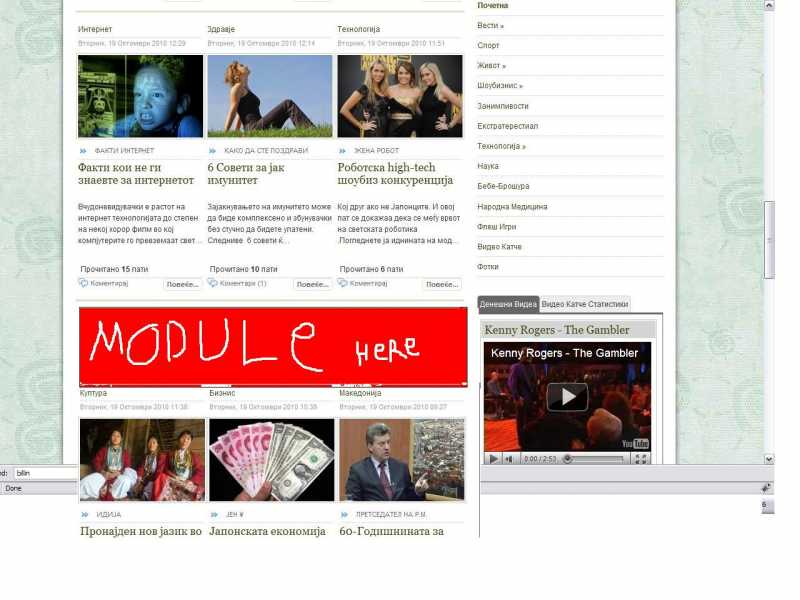
You will have to write some code to the category.php file of the K2 template.
First step in all the procedure is to create a K2 override, if not already. To create an override of the template files you will have to copy the templates folder from components/com_k2/ and paste it in templates/your template/html/com_k2/.
Next step is to open the category.php file in default folder (or if you are using another template to that one). Go to the foreach that handles the leading or primary or whatever you have set to your parameters for that page and make the following change right after the div class="itemContainerWrapper" closes:
if(($key+1)==3):
if(JModuleHelper::getModules('user1')):
div class="user1"
foreach (JModuleHelper::getModules('user1') as $module) {
echo JModuleHelper::renderModule($module, array('style' => 'YOUR MODULES STYLE'));
}
/div
endif;
endif;
Otherwise you can do it with an easier way than that of the if statement and simply change your parameters a little, use both leading and primary or primary and secondary and just insert the module code between those two containers (itemList and itemListPrimary).
So if your parameters now are Leading Items -> 6 it could be Leading Items -> 3 and Primary Items -> 3