Keyword

Advanced Search

Search Results (Searched for: k2 Tag)

  • JoomlaWorks
  • JoomlaWorks's Avatar
29 Aug 2018 01:02
Replied by JoomlaWorks on topic Cannot add Tags

Cannot add Tags

Category: English K2 Community

Can you install the dev version please?

github.com/getk2/k2/archive/master.zip

Check again and if the issue persists, let me know.
  • JoomlaWorks
  • JoomlaWorks's Avatar
28 Aug 2018 18:58
Replied by JoomlaWorks on topic Tag as title

Tag as title

Category: English K2 Community

It's how it works already: getk2.org/show/tag/built%20by%20joomlaworks

To remove the "Displaying items by tag: " part, simply do a template override for tag.php in your template. For more see this: getk2.org/documentation/tutorials/174-templating-with-k2-and-the-concepts-of-sub-templates
  • JoomlaWorks
  • JoomlaWorks's Avatar
28 Aug 2018 18:36
Replied by JoomlaWorks on topic K2 Power Tip: Remove Open Graph Meta - K2 Hack

K2 Power Tip: Remove Open Graph Meta - K2 Hack

Category: English K2 Community

OG meta tags will have a switch in the upcoming v2.8.5 and in v3.0.0 will be removed and become a plugin.
  • YODAstudio
  • YODAstudio's Avatar
28 Aug 2018 10:34
Replied by YODAstudio on topic K2 Power Tip: Remove Open Graph Meta - K2 Hack

K2 Power Tip: Remove Open Graph Meta - K2 Hack

Category: English K2 Community

Hello everybody!

With version 2.8.0 I commented the whole Set Facebook meta data block in the following files in order to disable K2 OG tags:

/components/com_k2/views/item/view.html.php
/components/com_k2/views/itemlist/view.html.php
/components/com_k2/views/latest/view.html.php

It seems to work.
  • JoomlaWorks
  • JoomlaWorks's Avatar
26 Aug 2018 11:10
Replied by JoomlaWorks on topic Cannot add Tags

Cannot add Tags

Category: English K2 Community

If it's the frontend, it's probably a JS issue coming from the site's template or some system plugin being loaded in the background. You'll have to provide more info. If you need us to have a look directly, use our contact form to send us temporary user access to the site with instructions on how to get to the K2 item form.

If you can't do that, open up Dev Tools in your browser and switch to the Console tab. Reload the item form and check for any errors (in red). Paste them back here. The errors may trigger only when you attempt to add a tag, not just loading the K2 item form in the frontend.
  • trogladyte
  • trogladyte's Avatar
24 Aug 2018 21:48
Replied by trogladyte on topic Cannot add Tags

Cannot add Tags

Category: English K2 Community

Sorry I haven't replied before now - I thought the client was no longer having issues, but he's just complained about this issue again.

I'm not sure what overrides you're referring to - I don't believe I have any for this site. K2 is up to date as is Joomla. But still I can't add tags from the frontend.
  • Willem Dubbeldam
  • Willem Dubbeldam's Avatar
21 Aug 2018 16:18
Tag as title was created by Willem Dubbeldam

Tag as title

Category: English K2 Community

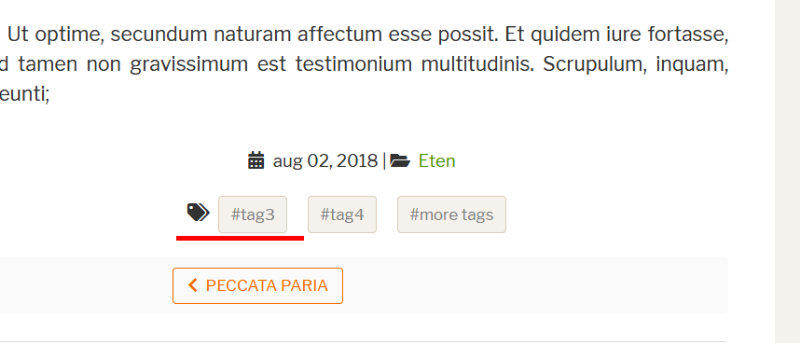
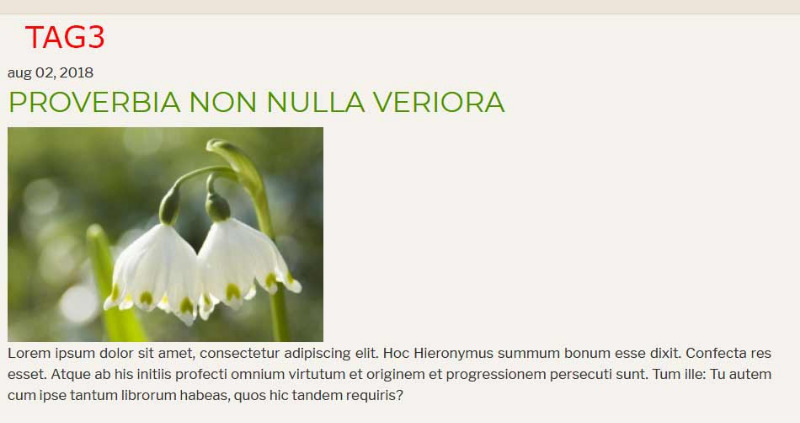
Is it possible to make the tag you click on in an article, the title of the article list that have that specific tag (see attachements)?

I've been looking in the K2 source but can't find the (php) code to do that. Can it be done without a hack?
  • Wilfried
  • Wilfried's Avatar
16 Aug 2018 14:26
Replied by Wilfried on topic K2 item related

K2 item related

Category: English K2 Community

Ok, I think I have understand how ItemRelated works.
The option searches in every elements similar tags this way : if the first tag is the same, it shows it. If not, it continues to the next and so on and so forth.

So, this is what i'd like to do :
- I'd like that ItemRelated searches only the first tag and not the others.
- I'd like that ItemRelated searches in a specific category.

I hope I'm clear...

Someone has an ideo to do such a thing ?

Than you.
  • Wilfried
  • Wilfried's Avatar
16 Aug 2018 11:38
Replied by Wilfried on topic K2 item related

K2 item related

Category: English K2 Community

Please anyone ? I really don't understand how this option works.

Instead of showing the last element of a tag, i'd like to show the last elements for a category. It seems to work in every elements, except in the element Californication, it shows the elements for another category. And in the element Dallas, it shows one element "À chacun son Patrick Duffy" that doesn't belong to the category of the element.

I hope I'm beaing clear.

Thank you.
  • Wilfried
  • Wilfried's Avatar
12 Aug 2018 19:17 - 13 Aug 2018 09:40
K2 item related was created by Wilfried

K2 item related

Category: English K2 Community

Hello,

I'm french, so I'm sorry for my english.
On my website , I used the option "item related" wich is appeared at the end of the page on every element under the title "Tu as aimé cette série, tu aimeras peut-être :".

As you will see, on the page Californication, ITEM RELATED does not show other elements with the tag "Drame" wich is the first tag of the element : www.cryptoseries.fr/series/item/1362-californication

Othe example with the page of Will & Grace. The purpose is to show other TV shows with the tag "Comédie", but ITEM RELATED does not show this tag : www.cryptoseries.fr/series/item/5-will-grace

Do you have any idea to hel me solve this problem ?

Thank you very much.

Wilfried
  • jasim
  • jasim's Avatar
08 Aug 2018 16:42
Replied by jasim on topic Links error

Links error

Category: English K2 Community

Well i have found a very similar topic in this forum but i still have some confusion.

Here i found www.joomlaworks.net/forum/k2-en/49238-k2-duplicate-url

Now confusion in my mind is in the solution post robots.txt file is like below!

It is very simple. In the robots.txt write tihs:

Disallow: /component/

And if you want to properly configure robots.txt for Joomla and K2 write this:

User-agent: *
Allow: *Your sitemap URL*
Disallow: /administrator/
Disallow: /bin/
Disallow: /cache/
Disallow: /cli/
Disallow: /component/k2/itemlist/tag/
Disallow: /component/
Disallow: /images/
Disallow: /component/tags*
Disallow: /components/
Disallow: /includes/
Disallow: /installation/
Disallow: /language/
Disallow: /layouts/
Disallow: /libraries/
Disallow: /logs/
Disallow: /tmp/
Disallow: /*%
Disallow: /?start
Disallow: /?
Disallow: /index.php?
Disallow: /*?
Disallow: /index.php*?
Disallow: /item
Disallow: /item/


In the above solution at the item mean what? as all my links have item like below link

www.vjcyber.com/blog/beaches-blog/item/14-the-pakiri-beach-auckland-new-zealand

will this link be crawled or not?

site map should be like this
Allow: www.vjcyber.com/index.php?option=com_jmap&view=sitemap&format=xml&xslt=1


????
  • Nadal Kumar
  • Nadal Kumar's Avatar
04 Aug 2018 20:28
Replied by Nadal Kumar on topic SoftOne using Joomla! & K2

SoftOne using Joomla! & K2

Category: English K2 Community

Just a revisit!

Joomla devs remained stubborn about adding various useful methods to the core (custom fields, tags) for way too long, so SoftOne and many other previous Joomla users now use WordPress. Joomla still lacks a sensible user-friendly media manager and WYSIWYG editor. Tags, CCK and intuitive media manager functions are primarily what made WP very attractive to end users and developers.

The SEF method of Joomla needs improvement. A simple user should not have to invest in a complex third party extension such as SH404sef just to get proper URLs to grow their SEO. A page with a menu item at site/the-great-page, can still be sourced as site/component/k2/item/34 and site/index.php?option=com_k2&view=item&layout=item&id=34&Itemid=134. This should not occur. The core SEF system should rewrite all URLs to the page as site/the-great-page.

Additionally, each major Joomla version change came with absolute chaos. Many extensions failed, websites broke due to database incompatibility, and the owners had to spend significant time or money to correct errors or perform complex upgrades. Now it seems similar problems are looming with version 4.

If not for the mighty K2, maybe 30% of Joomla users would have switched to another system.
  • Nadal Kumar
  • Nadal Kumar's Avatar
03 Aug 2018 04:23
Replied by Nadal Kumar on topic How to change tag view options?

How to change tag view options?

Category: English K2 Community
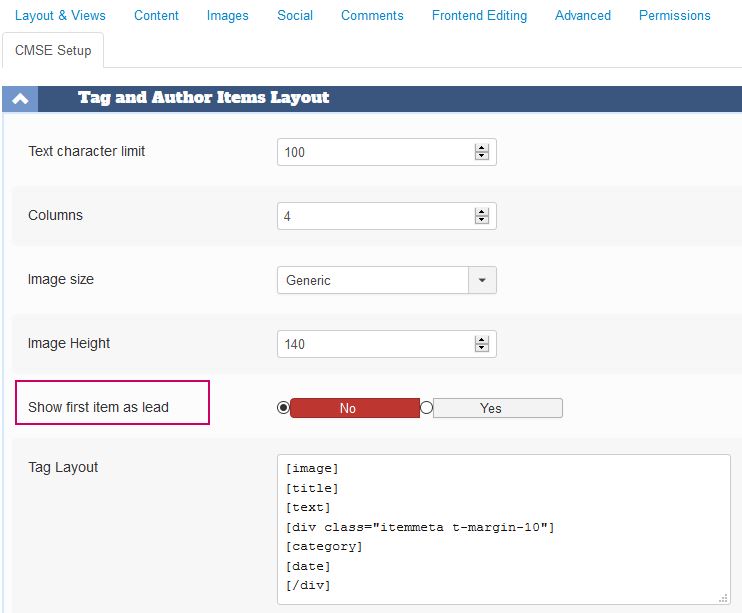
There is no core method to alter the tag items page. You need a plugin for that, and one exists.

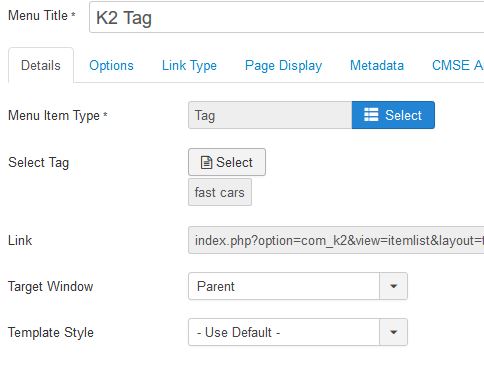
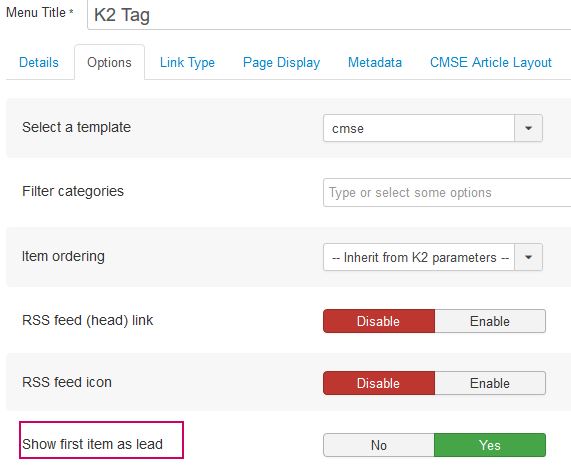
It currently will only set the first item as lead, but it certainly can be updated to set any count for lead items. The parameter is set in the K2 global configuration which can set all tags to display with a lead, or leave the global at no and set the override in the menu item of type K2 tag. See it in action at directory.websitedons.net/k2-tag


  • Nadal Kumar
  • Nadal Kumar's Avatar
02 Aug 2018 21:50

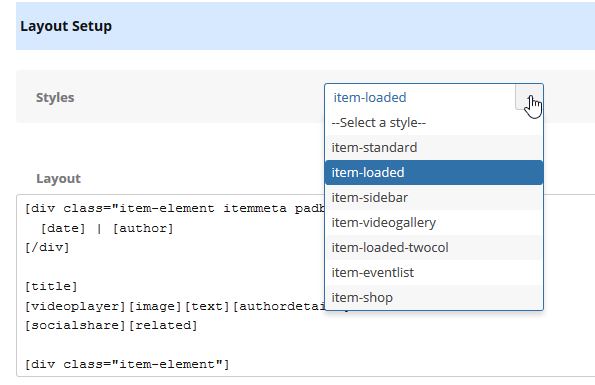
Plugin to easily alter K2 category and items layout without template coding

Category: English K2 Community

With this plugin and K2 template override, there will be no need to create multiple templates for varying content types eg: real estate listing, business directory, event listing, blog etc.

The method uses shortcode place holders to layout K2 data objects anywhere in any view. Many selectable preset styles are included and each can be rearranged to suit. Also an override method allows a user to create own set of style presets to be included in the select list.


examples
The following shortcodes are set in the category configuration and will produce the format as shown at directory.websitedons.net/homes
[div class="clearall b-margin-20 pad-20 bg-gray"] [div class="boxsize width_70 padright-20"] [cattitle] [text] [/div] [div class="boxsize width_30"][catimage][/div] [/div] [div class="clearall"] [div class="boxsize width_60 break"] [itemslead] [/div] [div class="boxsize width_40 padleft-10 break"] [itemsprimary] [/div] [/div] [itemssecondary] [itemslinks] [pagination]

This next layout will output each item in the category as shown at the page directory.websitedons.net/k2-item
[div style="overflow: hidden; margin-bottom: 20px;"] [div][date][/div] [div class="boxsize width_60 break"] [title] [download] [field="1" video][videoplayer Get The Story Here] [text] [field="3" poll][poll Answer The Question] [tags] [socialshare] [authordetails] [div class="meta"][category][hits][rating][/div] [/div] [div class="boxsize width_40 padleft-20 break"] [image] [field="2" audio][audioplayer The Chillout Zone] [field="4" paypalcart][paypalcart Buy Some Stuff Today] [div class="sect"][field="5,6,7,8" label][/div] [related] [/div] [/div] [k2comment]

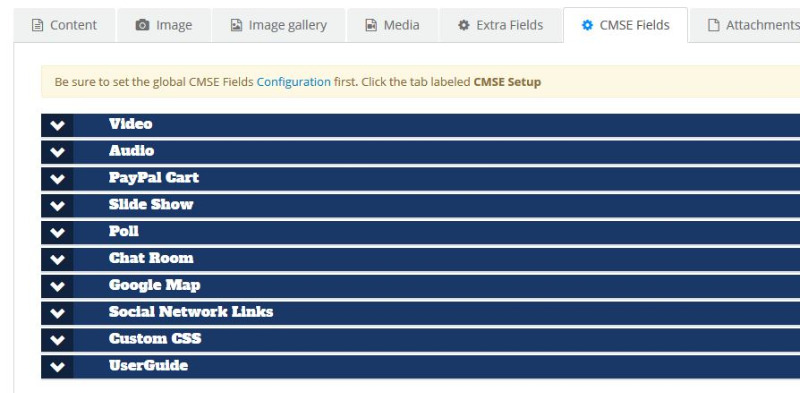
Also included are specialized custom fields to make a K2 item very intriguing and retain more viewers.
  • Insert video playlist with video URLS from any video source
  • Insert audio playlist from any internet radio or local .mp3 files. Alternatively insert Soundcloud, MixCloud and other audio sources
  • Add PayPal shopping cart with options, add to cart and checkout
  • Add slide show with just images or items from K2 or Joomla content
  • Add a poll to get user interaction
  • Add a live chat room
  • Insert a Google map with just an address
  • Add custom CSS to do any class override (adds inline css in head tag)

The possibilities are endless!
  • Uzi
  • Uzi's Avatar
26 Jul 2018 10:31 - 26 Jul 2018 11:17
Replied by Uzi on topic K2 Sigpro with Amazon server for images

K2 Sigpro with Amazon server for images

Category: English K2 Community

No I am actually using a plugin to change the URLS from the local to the Amazon server. It works quite well, it searches for the img src tag and replaces that one with the correct Amazon URL. Problem is only the sigpro gallery for now.
The plugin works by basically running a cron job every x minutes to upload the files to the designated area on the amazon server. The it deletes the files on the local server. (Not delete actually but setting filesize 0). The plugin than handles the replacing of the file urls.

I don't know how to use the symlink method. It's not described anywhere.

I see in an older topic that another user had already asked for this (he wanted to use the folder to image path to use a amazon url) I presume you already have that code ready?

EDIT2: You think that a symbolic link to the amazon server is the best solution (you advice that every time this qustion comes up) but I cannot find anything that explains how to set this up, how to achieve this. I understand that you basically tell the webserver that the folder is not on this server but on another server (the amazon server) but did you test it out live, or do you know how to set this up right? So that there are no errors? Thanks.
  • Krikor Boghossian
  • Krikor Boghossian's Avatar
25 Jul 2018 20:44
Replied by Krikor Boghossian on topic advantage of k2 seo?

advantage of k2 seo?

Category: English K2 Community

Hello,

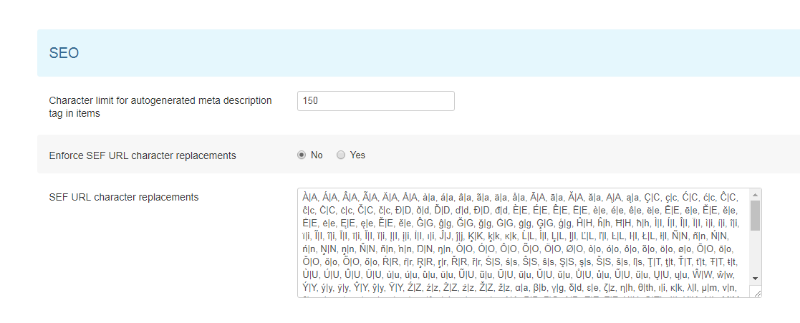
The SEF character replacement, will convert non UTF-8 characters to their equivalent ones.
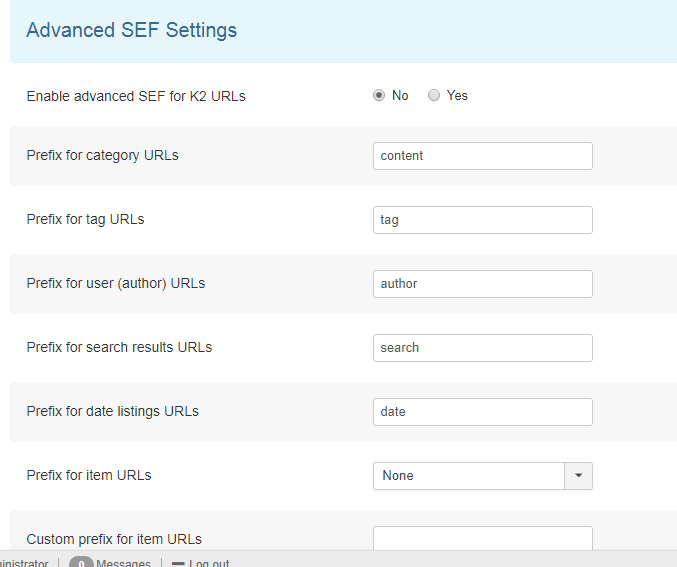
As for the advanced SEF section which is optional, you can select the prefix (the slug) for each piece of content in order to replace /component/k2/ part.
  • Uzi
  • Uzi's Avatar
25 Jul 2018 13:25 - 25 Jul 2018 13:41

K2 Sigpro with Amazon server for images

Category: English K2 Community

Hello,

I have some trouble getting the Amazon server and the image gallery to work. I move the images from my server to the amazon server with a cronjob, and it removes the images on the website server. Now the problem lies in the generating of the gallery. Sigpro wants to get the imagesize of the source image, but because that is deleted it doesn't get the correct values and it stops with executing the code.

Now it only displays the tags. Is there a possibility to let the sigpro plugin check the image on the amazon server instead of the home server?

EDIT: Ok, so I think I can change the path to the image file by replacing the site_url in the helper class. But, as you can imagine, I'm not fond of changing the core files of the plugin. Anyone know how to override the helper class in the plugin? I haven't found overriding helper plugins but only components.
  • Sulla
  • Sulla's Avatar
24 Jul 2018 16:30
advantage of k2 seo? was created by Sulla

advantage of k2 seo?

Category: English K2 Community

I just don't quite understand how to configure k2 seo,
please see the attachments, where can I find the tutorial which explains how to configure k2 seo,

in addition, any advantage of k2 seo?

  • lusi djudjeto
  • lusi djudjeto's Avatar
23 Jul 2018 14:36 - 23 Jul 2018 15:22
Replied by lusi djudjeto on topic How to add hours and minutes to start publishing date

How to add hours and minutes to start publishing date

Category: English K2 Community

I even don't have the clock in the calendar menu..
And in articles it always show 00:00..
When I type the exact hour manually it just erase it

Normal joomla articles clock works good only with k2 is the problem
I am using joomla 3.8.7
K2 version is 2.6.8

If I upgrade to K2 version 2.8.0 will I loose any K2 articles,categories,tags etc..??
  • Nadal Kumar
  • Nadal Kumar's Avatar
16 Jul 2018 17:41

K2 remains the greatest thing that happend to Joomla, but...

Category: English K2 Community

After digging in, I realized there were too many core K2 classes which had to be overridden by copying the entire class file, and that was not going to jive well with future releases.

Instead of making K2 adapt Joomla's custom field system, I made a plugin and set of library functions to make Joomla Content behave like K2 eg:
-- file download attachment,
-- author details and link to all articles by author,
-- related articles by tags
-- social share buttons
-- poll (not K2 but would be great for K2)
-- video player and playlist
-- audio player and playlist
-- multi-comment applications adaptable using shortcodes [fbcomment] [disqus] [jomcomment] [jcomment]

The plugin also includes methods to make K2 layout very flexible by using shortcodes, which is configured in the category settings via an added text area. The shortcodes also output extra field values by using [field="23"], therefore omitting the need to edit or create additional template overrides to custom arrange extra fields.

One can achieve all sorts of wild displays per category, and even overridable per item. See an example at directory.websitedons.net/k2-item

The attached image shows the item layout setup with shortcodes.
Displaying 641 - 660 out of 6582 results.

Powered by Kunena Forum