02 03 2011
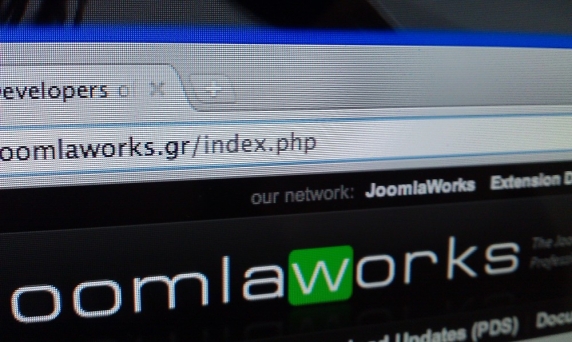
A common error most people do when finishing up a webiste with Joomla is forgetting to change their site's logo link from e.g. domain.com/index.php to just domain.com.
06 02 2011

The community of K2 has spoken through the poll I got up yesterday on the frontpage of the K2 Community website. An email was previously sent to all our members letting them know of this poll, as well as the reasons we chose to resolve into such a poll.
04 02 2011

IMPORTANT NOTICE: A poll is now setup in the K2 Community for people to voice their opinion more properly
First, some facts...
Joomla 1.6's life cycle is very short. Just 6 months. By July 2011, the Joomla team will end development and proceed to releasing Joomla v1.7.This is very disturbing for many big projects like K2, considering all the big changes that 1.6 has introduced in its framework (language files, content elements, classes, functions, ACL etc. etc.) and the unnecessary workload added (see language files going back to Joomla 1.0 days), especially for free extensions like K2, Virtuemart and many more...Many developers have expressed doubts about 1.6. Jen Kramer also nailed it in her recent blog post: Joomla 1.6 and Beyond: Should I upgrade? Should I build my new sites in it?
So did Andy Miller of RocketTheme fame on: Should I upgrade to Joomla 1.6?
Back to the title of this post...
01 12 2010

If you run a popular Joomla (or WordPress, Drupalor or any other PHP based CMS) website on either a dedicated server or VPS running WHM/cPanel, chance is you may have stumbled upon performance issues at some point.
Although improving Joomla's performance is a task that requires in-depth analysis, I thought I'd just write a couple of words on improving one aspect of your site's performance quickly and efficiently: PHP execution by using the APC or APCu opcode caching modules. Keep in mind that APC is compatible with PHP up to version 5.3.x. APCu replaces APC for PHP versions 5.4.x or newer and it's currently under active development.
Since PHP 5.3.x is considered obsolete, I'll cover the steps to have APCu installed on your server. If you run PHP 5.3.x either consider updating to 5.5.x/5.6.x or follow the steps below making sure you replace any "apcu" reference with just "apc" (minus the "u").
Although improving Joomla's performance is a task that requires in-depth analysis, I thought I'd just write a couple of words on improving one aspect of your site's performance quickly and efficiently: PHP execution by using the APC or APCu opcode caching modules. Keep in mind that APC is compatible with PHP up to version 5.3.x. APCu replaces APC for PHP versions 5.4.x or newer and it's currently under active development.
Since PHP 5.3.x is considered obsolete, I'll cover the steps to have APCu installed on your server. If you run PHP 5.3.x either consider updating to 5.5.x/5.6.x or follow the steps below making sure you replace any "apcu" reference with just "apc" (minus the "u").
15 11 2010
Written by JoomlaWorks
Published in Blog
Tagged under
1 comment - +atom
- +feed
- +feedburner
- +how-to
- +rss
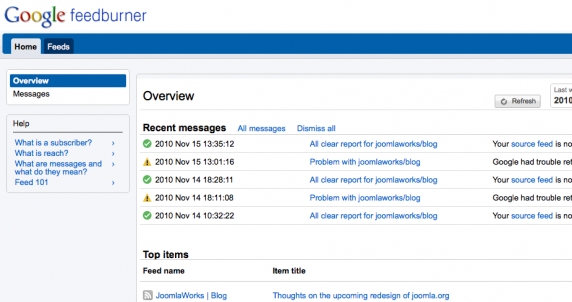
We all know Feedburner. The cool service offered by Google that makes distributing your RSS feed a lot better with analytics, various RSS feed reader support and so on...
If you wanna use Feedburner, you just sign up for the service with your Google account on http://feedburner.google.com and then provide your "home page" RSS feed (usually something like mywebsite.com/?format=feed). Feedburner will in turn give you back a new RSS feed link (something like feeds.feedburner.com/mywebsite) which you can use to "proxy" people who read your feeds via Feedburner and enjoy all the goodies the service can offer.
15 11 2010
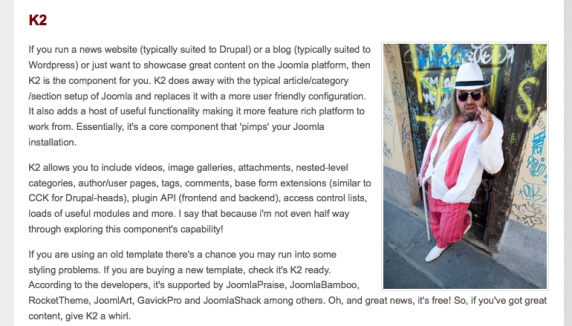
You will understand why I posted this pic after you finish reading the first paragraph in it... I have no words... I do know however what my next avatar will be ;)
Originally posted on designstheweb.co.uk.
Originally posted on designstheweb.co.uk.